5 posts tagged with "Enhancement"

View All Tags

Convergence plots organized by observation order

Follow optimization progress more clearly with completed results ordered as observations and predictions grouped separately.

What's included

A clearer optimization sequence
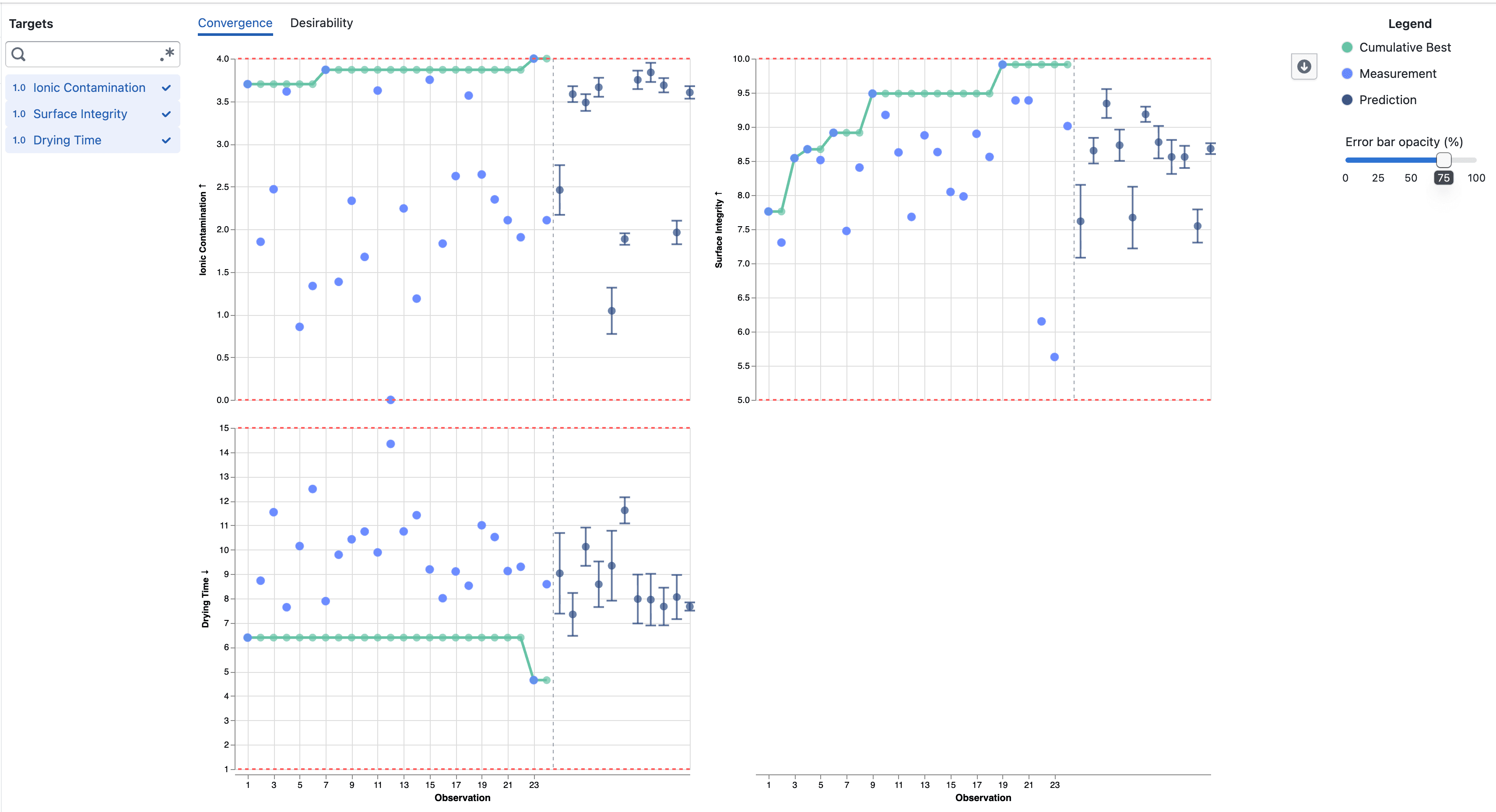
Convergence plots showing completed observations followed by predictions

  • Completed target results are numbered in completion order, without gaps from trials that did not produce a measurement
  • The original trial number and completion time remain available in the point details
  • Predictions for Pending and Accepted trials appear after the completed observations
  • A dashed divider separates measured results from predictions across selected targets

Notes

  • The observation number can differ from the original trial number when trials finish out of order or do not produce a target result
  • Predictions remain model estimates and include error bars showing one posterior standard deviation above and below the mean
Assist Analyzes Your Study Data

Catalyst Assist can now answer questions about the data in your study — counts, averages, distributions, and filtered breakdowns — by querying the dataset directly.

What's included

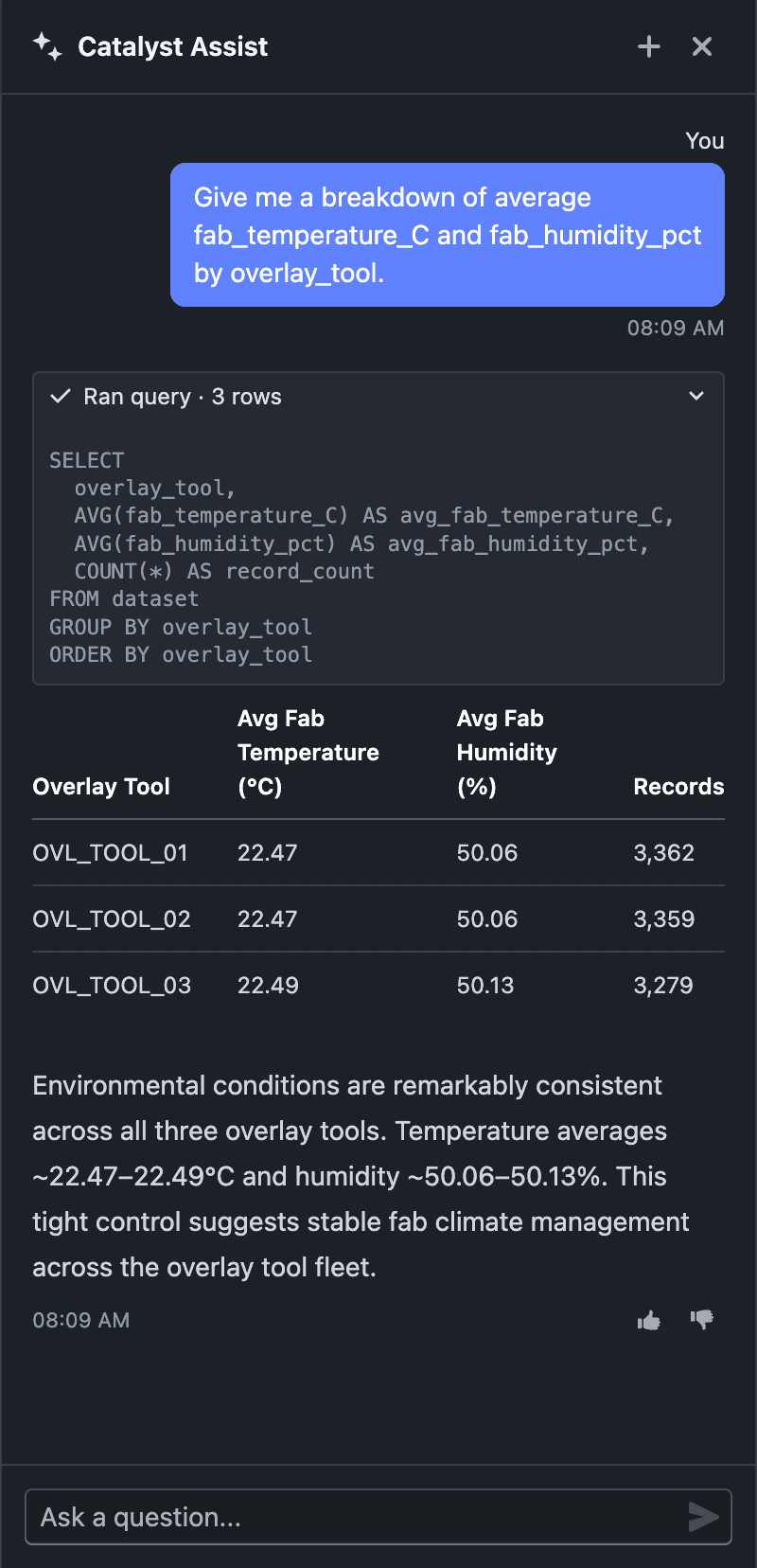
Catalyst Assist answering a data question with figures and a table

  • Ask data questions in natural language — "average overlay error by tool?", "how many wafers failed process control?", "distribution of risk score by lot" — and Assist queries your study dataset to answer
  • Answers are computed from your actual data, returned as markdown tables, with a brief takeaway drawn from the results
  • Date and duration math is supported — group by year, compare timestamps, measure elapsed time between events
  • Platform and feature questions still work exactly as before — Assist picks the right mode for each question

Notes

  • Data answers come only from your dataset — Assist never invents, estimates, or extrapolates figures
  • Data questions are available when Assist is opened from within a study
  • Data queries run on the study's worker, so it must be provisioned and active; otherwise Assist still answers platform and feature questions but can't query the dataset
  • AI responses may not always be accurate. If you receive an unexpected result, let us know with the thumbs up/down on the response, or share it via Support → Contact Support
  • This is an incremental update during beta

Improved Folder Picker

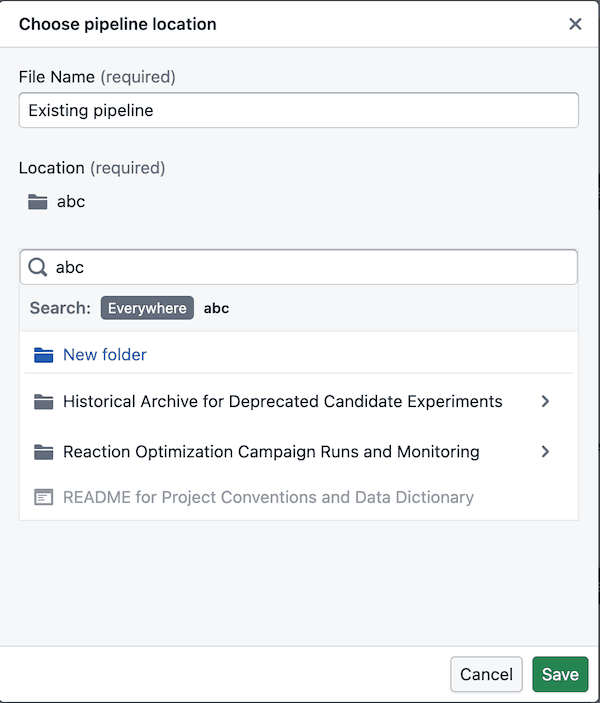
The folder picker is now easier to navigate, supports deeper search drill-down, and lets you create folders in the right place.

What’s included

Easier folder navigation

Search folder navigation Search folder navigation creation

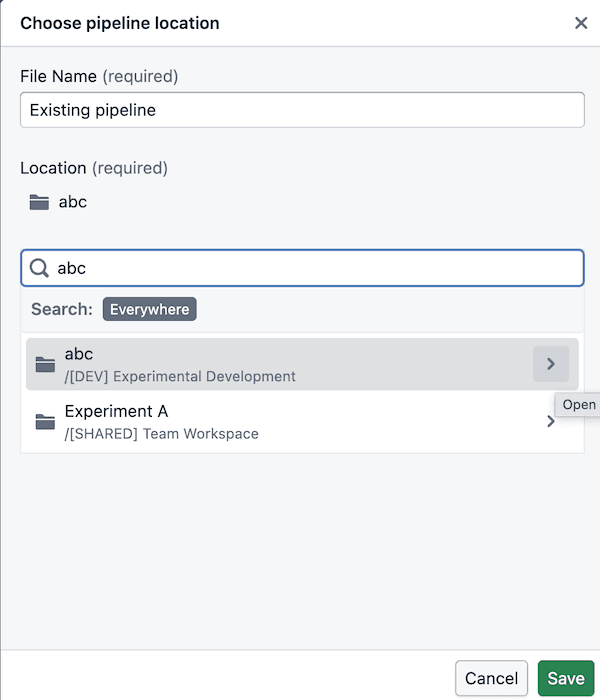
  • You can now drill into folders directly from search results instead of starting over in the main tree
  • Search breadcrumbs stay clickable, so it’s easier to move back up when you’ve drilled in
  • Search results only show folders you can actually use, so there’s less dead-end clicking

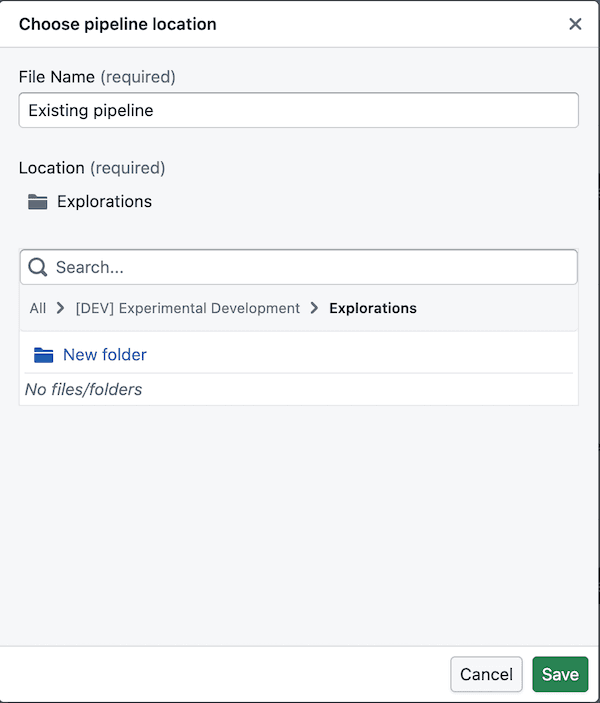
Folder creation in the right place

Folder creation

  • The picker follows the same folder structure used in Foundry: space -> project -> folders
  • A space is like a shared drive, and its first-level listings are project resources
  • Admins manage projects, so you can browse into them but cannot create new folders at the project level itself
  • You can create folders once you’re inside the folders within a project, including after drilling in from search

Notes

  • Folder creation is only available once you’ve drilled into a valid folder location inside a project
  • If a folder does not appear in search, you may not have permission to use it

Sigma-Based PCA Clusters

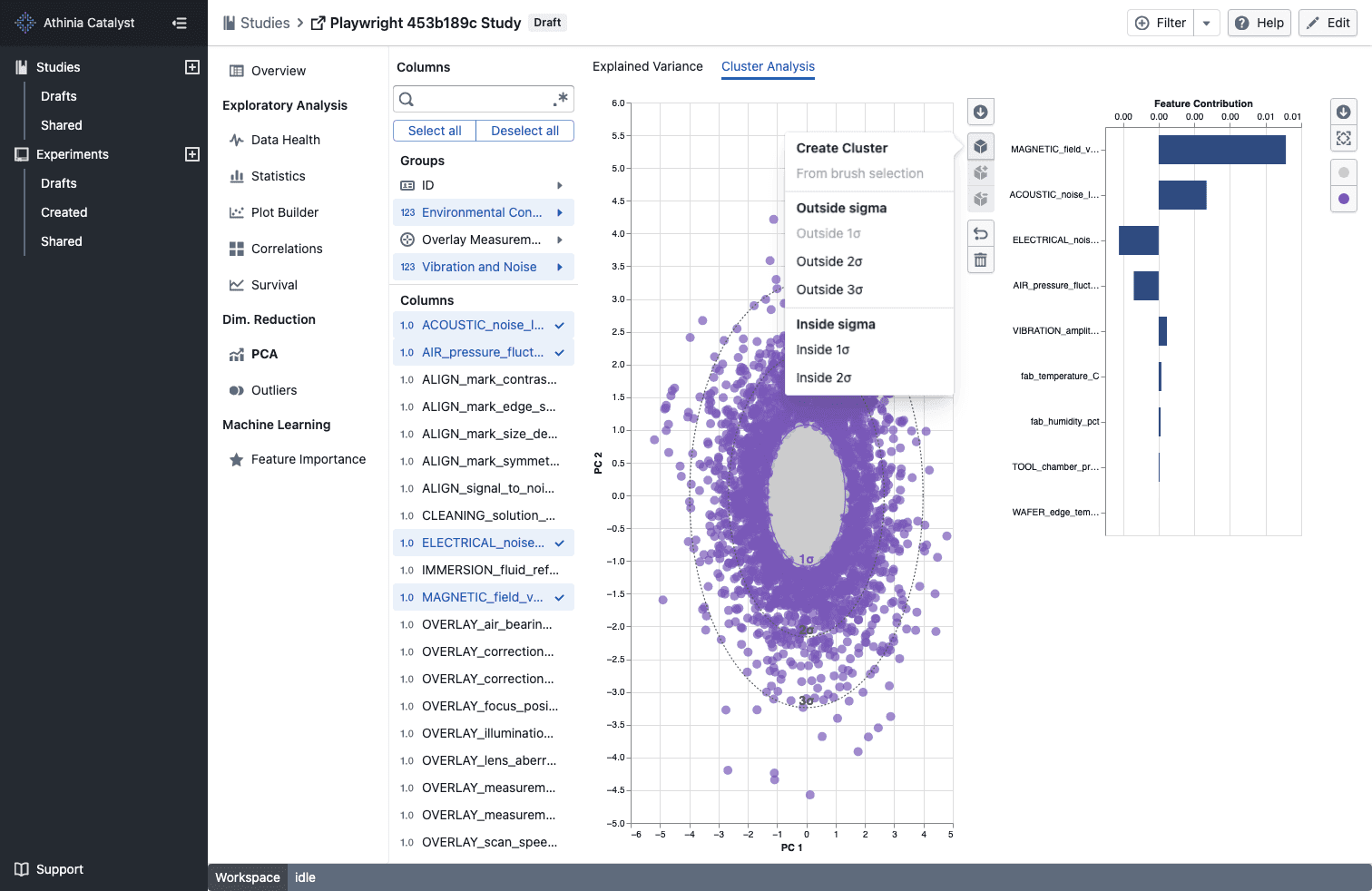
Create PCA clusters from sigma bands and compare only clusters that contain points.

What's included

Create clusters from sigma bands

Sigma-based PCA clusters

  • Open the cluster menu in PCA -> Cluster Analysis to create ready-made Inside nσ and Outside nσ clusters without drawing a brush
  • Sigma-based clusters automatically assign matching points as soon as the PCA view finishes loading
  • The matching sigma contour adopts the cluster color so you can see the selected boundary at a glance

Compare populated clusters only

  • Cluster comparison menus now show only clusters that currently contain points
  • If a selected cluster becomes empty or is removed, the comparison updates to the next valid populated cluster automatically

Notes

  • Sigma-based clusters are stored with your other PCA cluster selections for that study
  • Outside nσ options are available for every displayed sigma band, while Inside nσ options are available for the inner bands
  • Empty clusters are excluded from comparison choices until they contain points

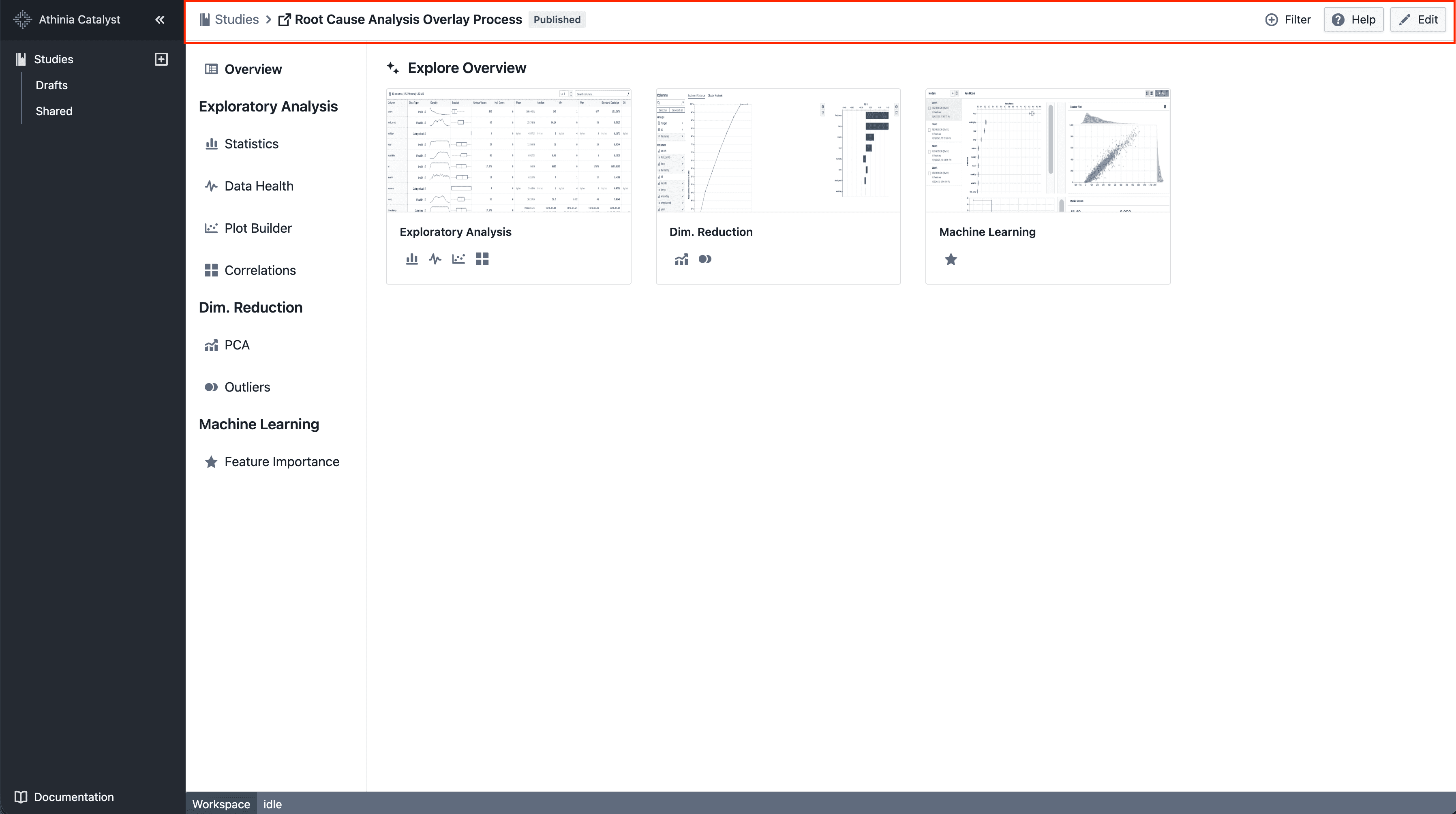
Navigation layout update

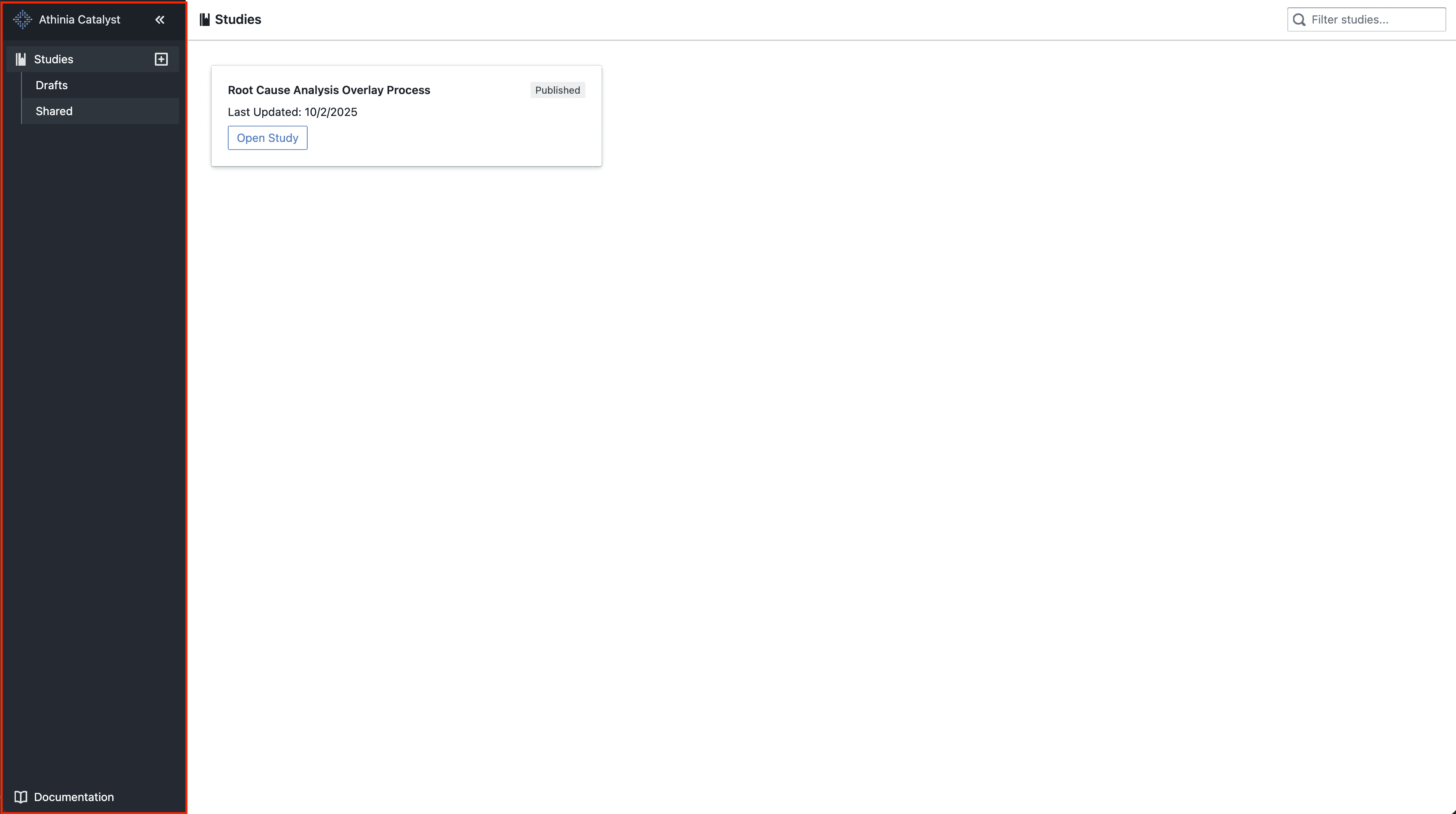
We’re moving towards a sidebar-based navigation to improve scalability and deliver a more consistent navigation experience as the platform evolves.

What’s included

Left-hand sidebar

New navigation layout

  • Main navigation moved into a left-hand sidebar
  • Collapsible sections for better organization

Simplified top bar

New navigation layout

  • A simplified top bar, starting with breadcrumbs

Notes

  • This is an incremental update during beta
  • Navigation patterns may continue to evolve based on feedback