8 posts tagged with "Platform"

View All Tags

Improved Folder Picker

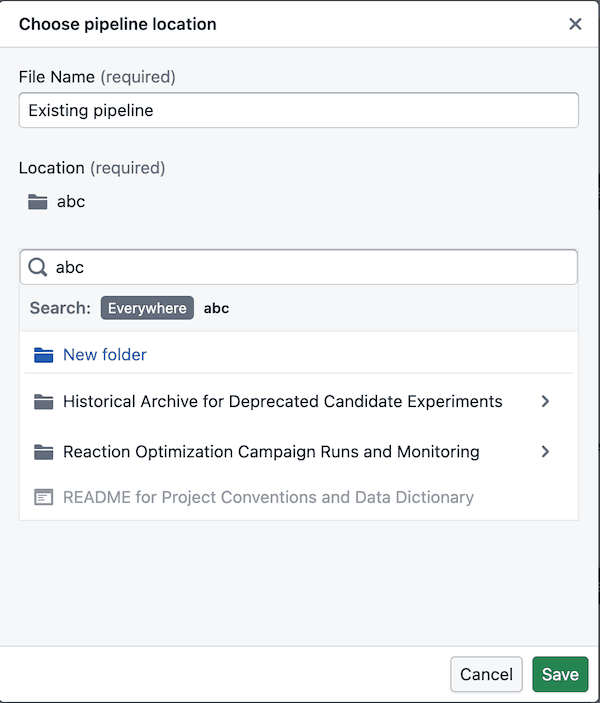
The folder picker is now easier to navigate, supports deeper search drill-down, and lets you create folders in the right place.

What’s included

Easier folder navigation
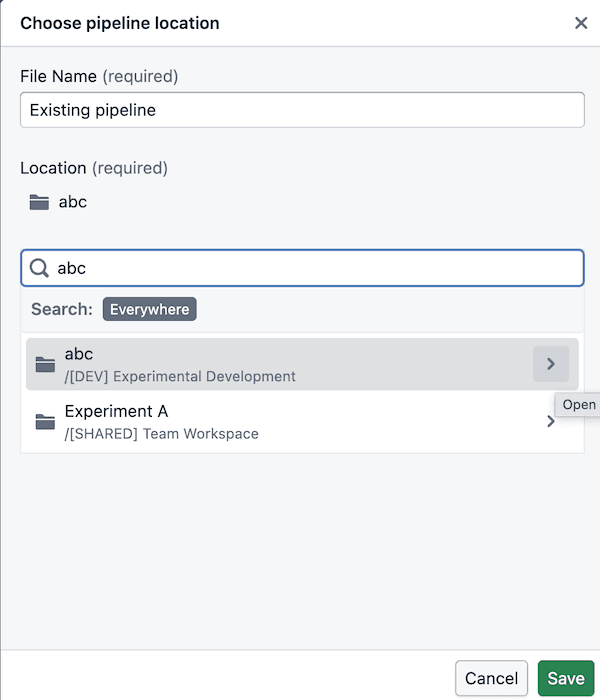
Search folder navigation Search folder navigation creation

  • You can now drill into folders directly from search results instead of starting over in the main tree
  • Search breadcrumbs stay clickable, so it’s easier to move back up when you’ve drilled in
  • Search results only show folders you can actually use, so there’s less dead-end clicking

Folder creation in the right place
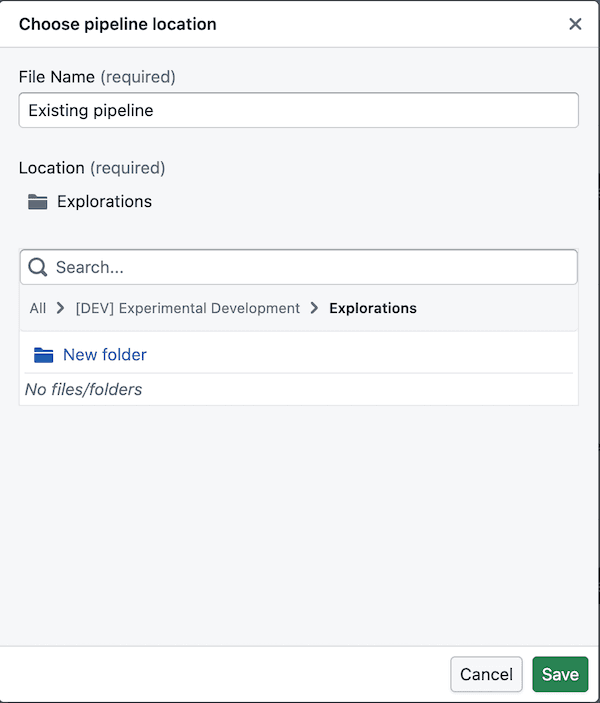
Folder creation

  • The picker follows the same folder structure used in Foundry: space -> project -> folders
  • A space is like a shared drive, and its first-level listings are project resources
  • Admins manage projects, so you can browse into them but cannot create new folders at the project level itself
  • You can create folders once you’re inside the folders within a project, including after drilling in from search

Notes

  • Folder creation is only available once you’ve drilled into a valid folder location inside a project
  • If a folder does not appear in search, you may not have permission to use it
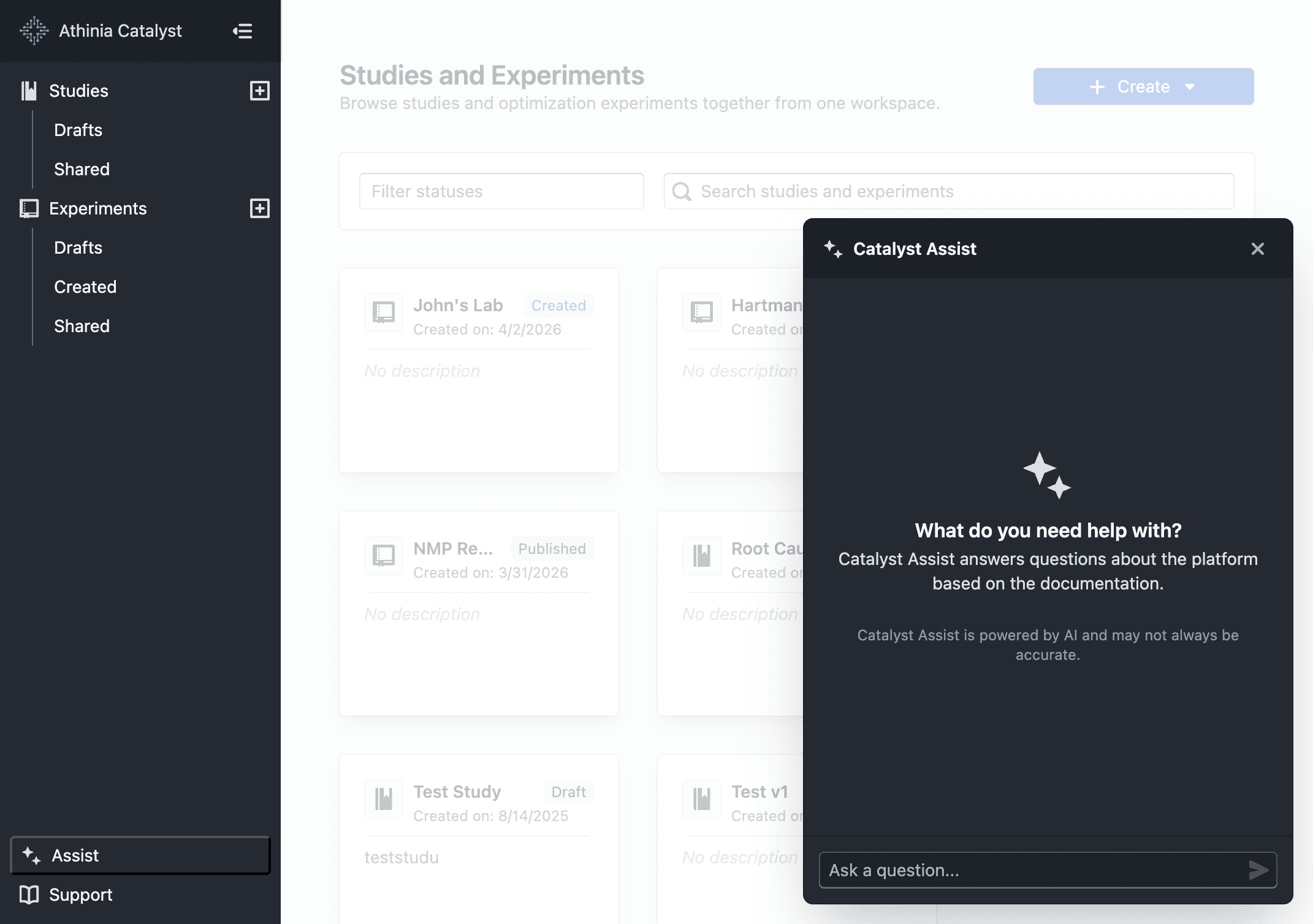
Catalyst Assist

Ask questions about Catalyst and get instant, documentation-backed answers — right from the sidebar.

What's included

Catalyst Assist panel open alongside the dashboard

  • Click Assist in the sidebar to open the panel from any page
  • Ask a question and receive a focused, markdown-formatted answer grounded in Catalyst documentation
  • Source excerpts are shown beneath each reply so you can verify or explore further
  • Follow-up questions are supported — prior context is carried forward within the same conversation
  • Use the + button to start a new conversation at any time

Notes

  • Answers are based solely on Catalyst documentation — the assistant will not speculate or invent features
  • AI responses may not always be accurate. When in doubt, refer to the official documentation for authoritative guidance
  • If you receive an unexpected or unhelpful response, please share it via Support → Contact Support
  • Conversations are limited to 20 messages; start a new one for unrelated topics

Contact Support

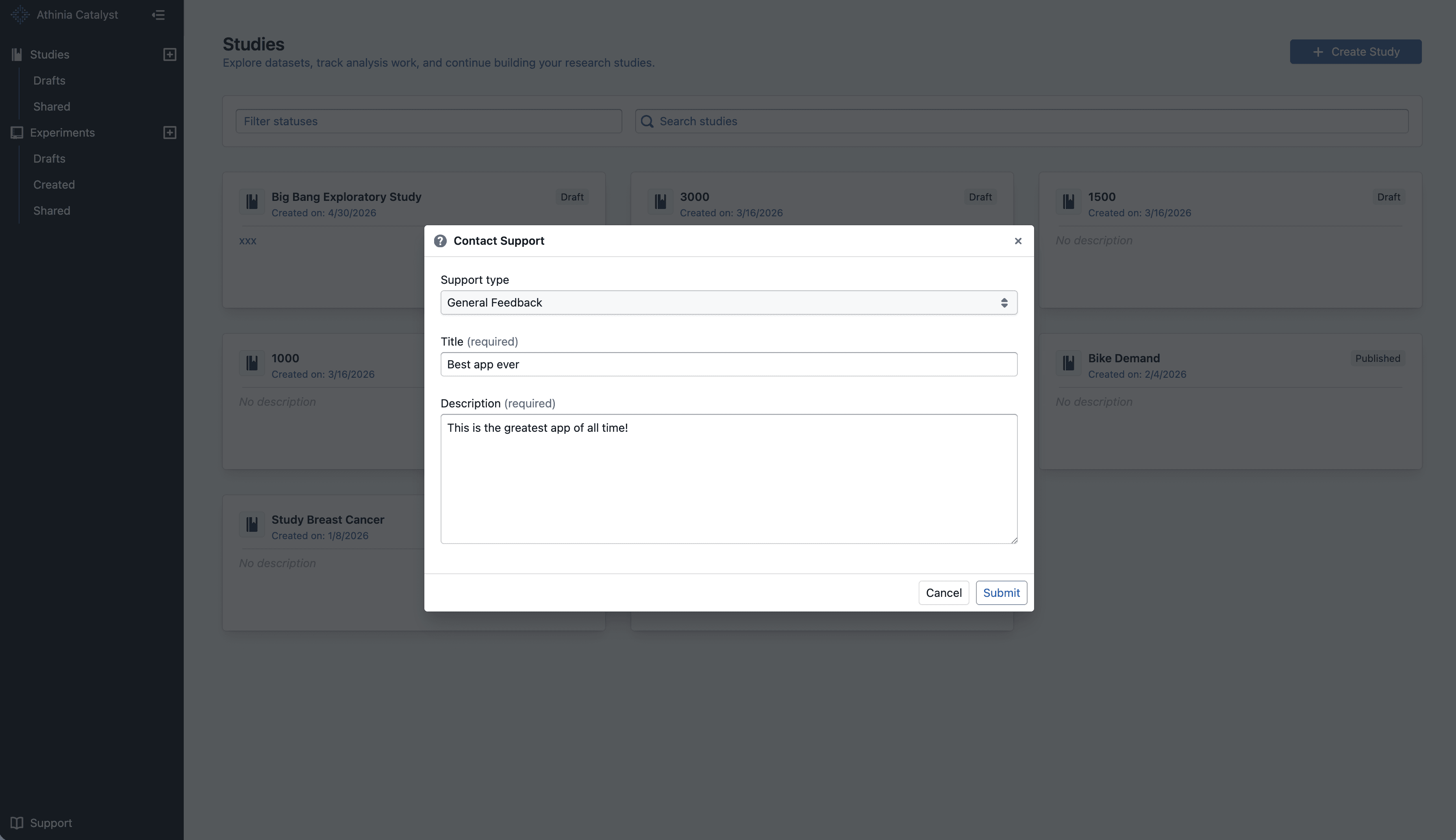
Send feedback, bug reports, and feature requests directly from the Support menu.

What's included

Contact Support from anywhere

Contact Support dialog

  • Open Support -> Contact Support from the app sidebar without leaving your current page
  • Submit one of three request types: General Feedback, Bug Report, or Feature Request

Faster issue triage

  • Add a clear title and detailed description so the team can understand your request faster
  • Your submission includes your current page, browser, and account details to reduce back-and-forth

Notes

  • The form requires both a title and description before you can submit
  • Messages are limited to 1,500 characters
  • For bug reports, include steps to reproduce and what you expected to happen

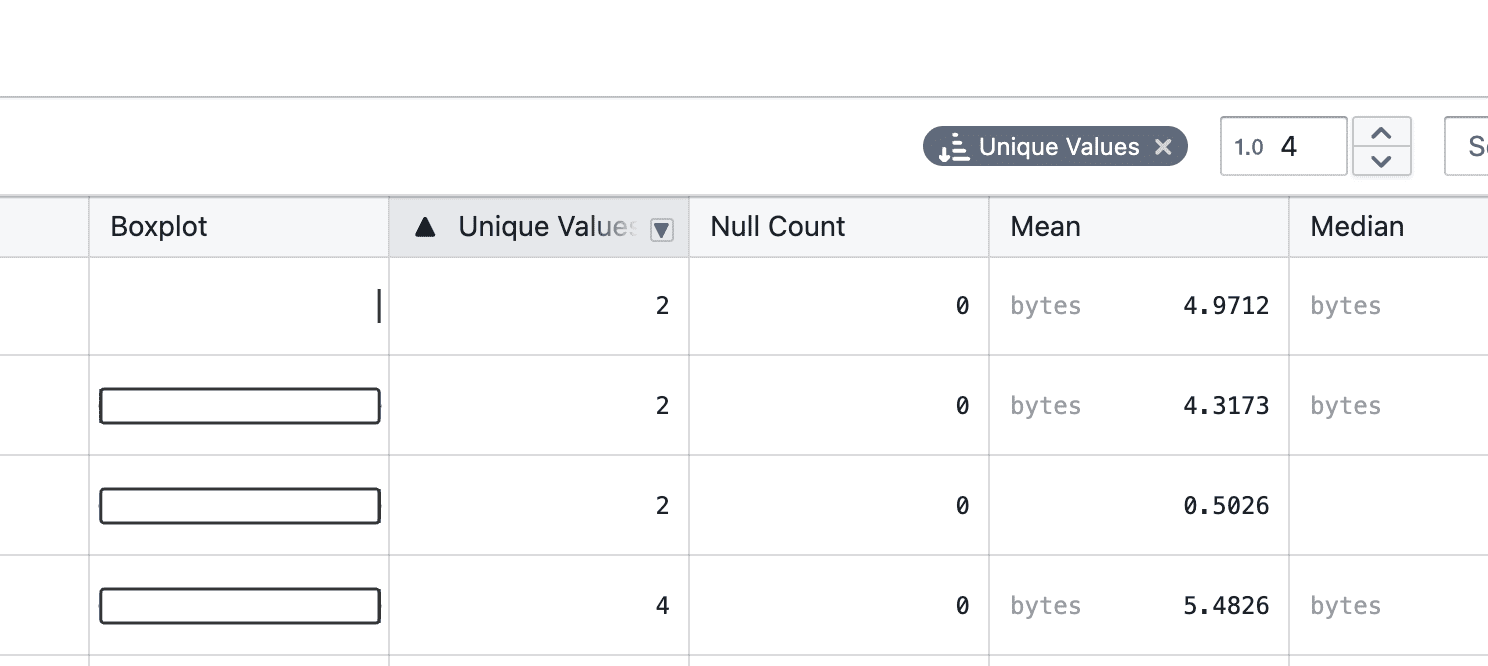
Add filters to statistic table

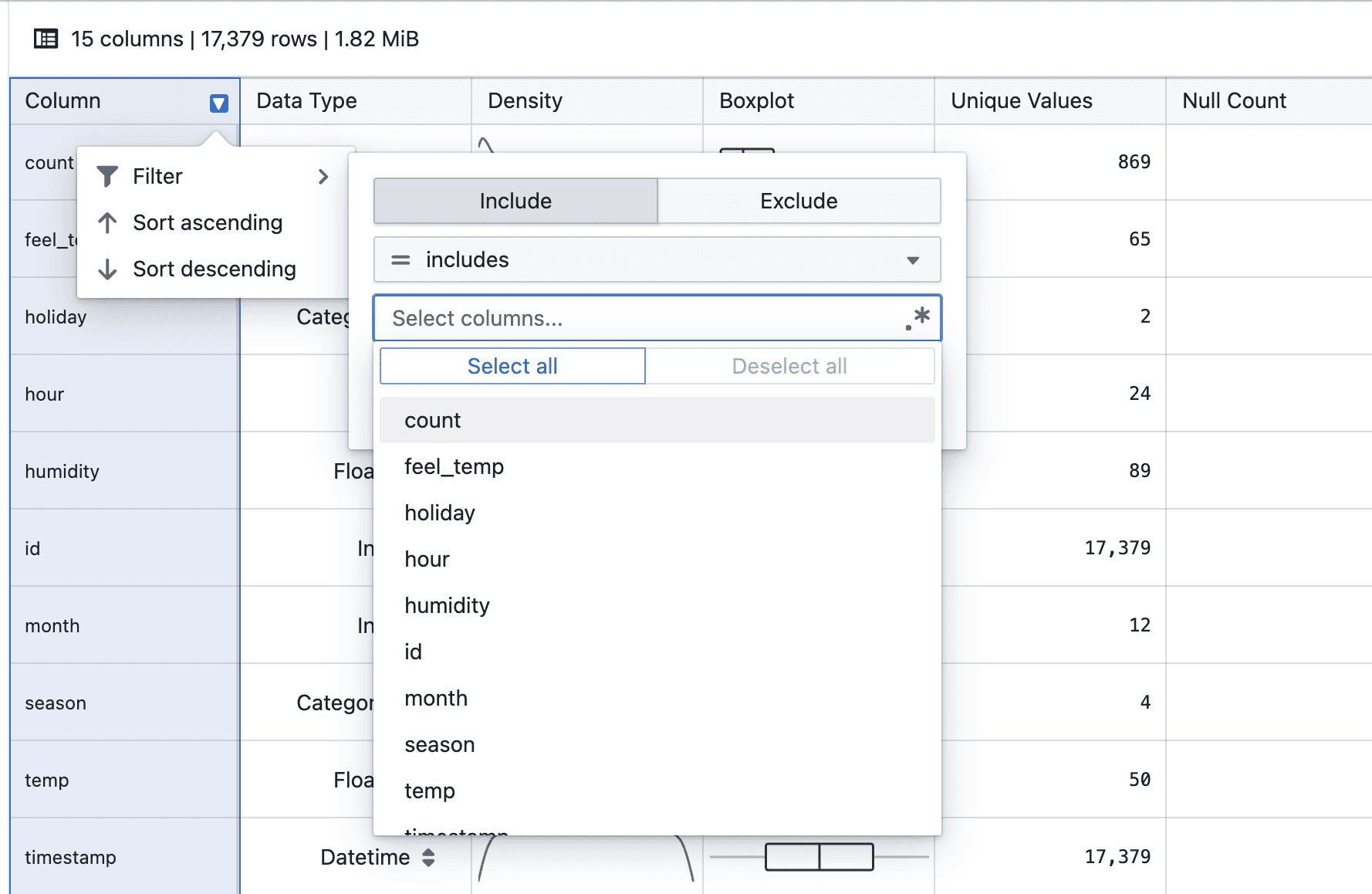
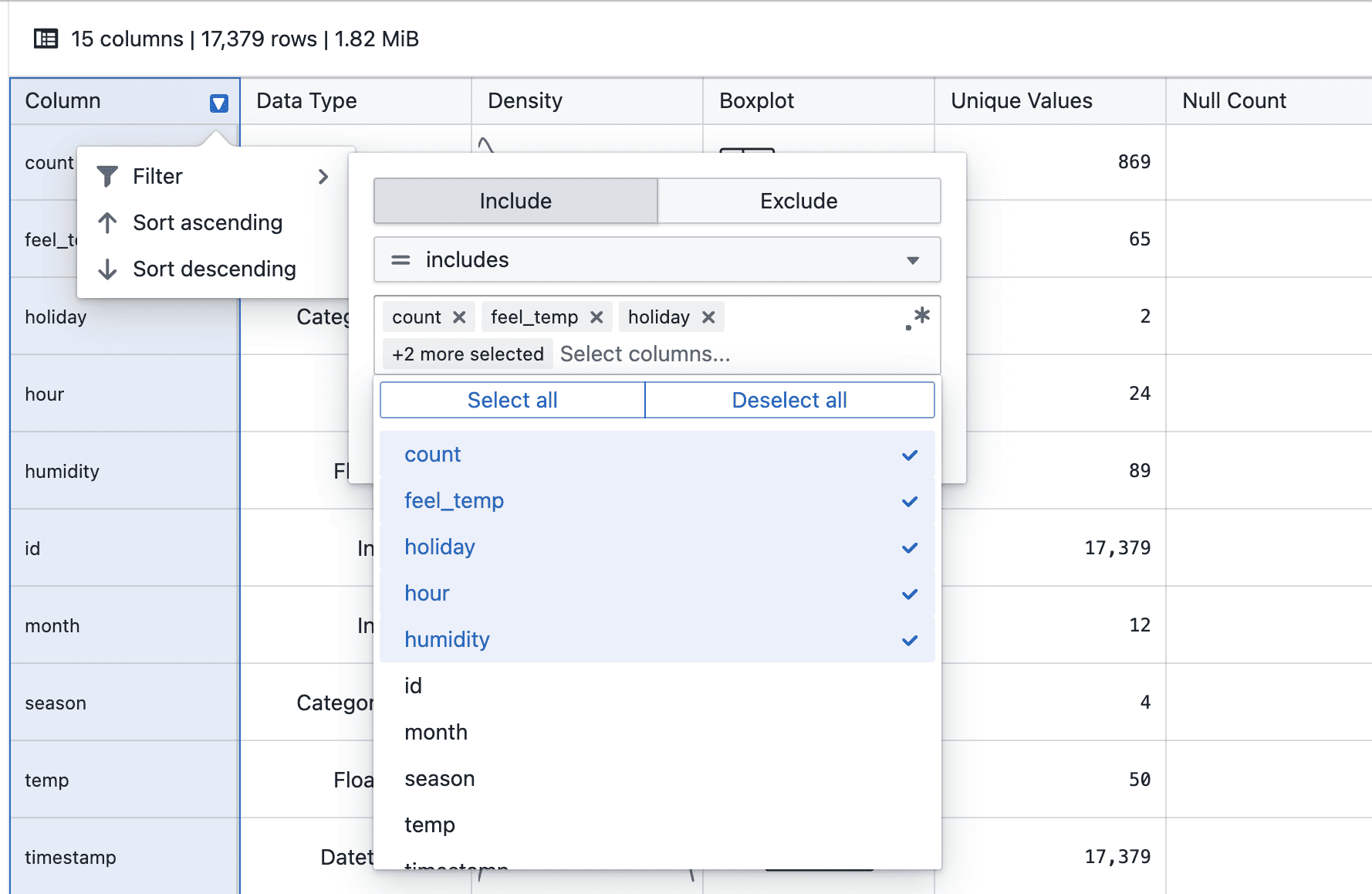
Statistics tables now support column filtering to make it easier to narrow down and analyze values.

What’s included

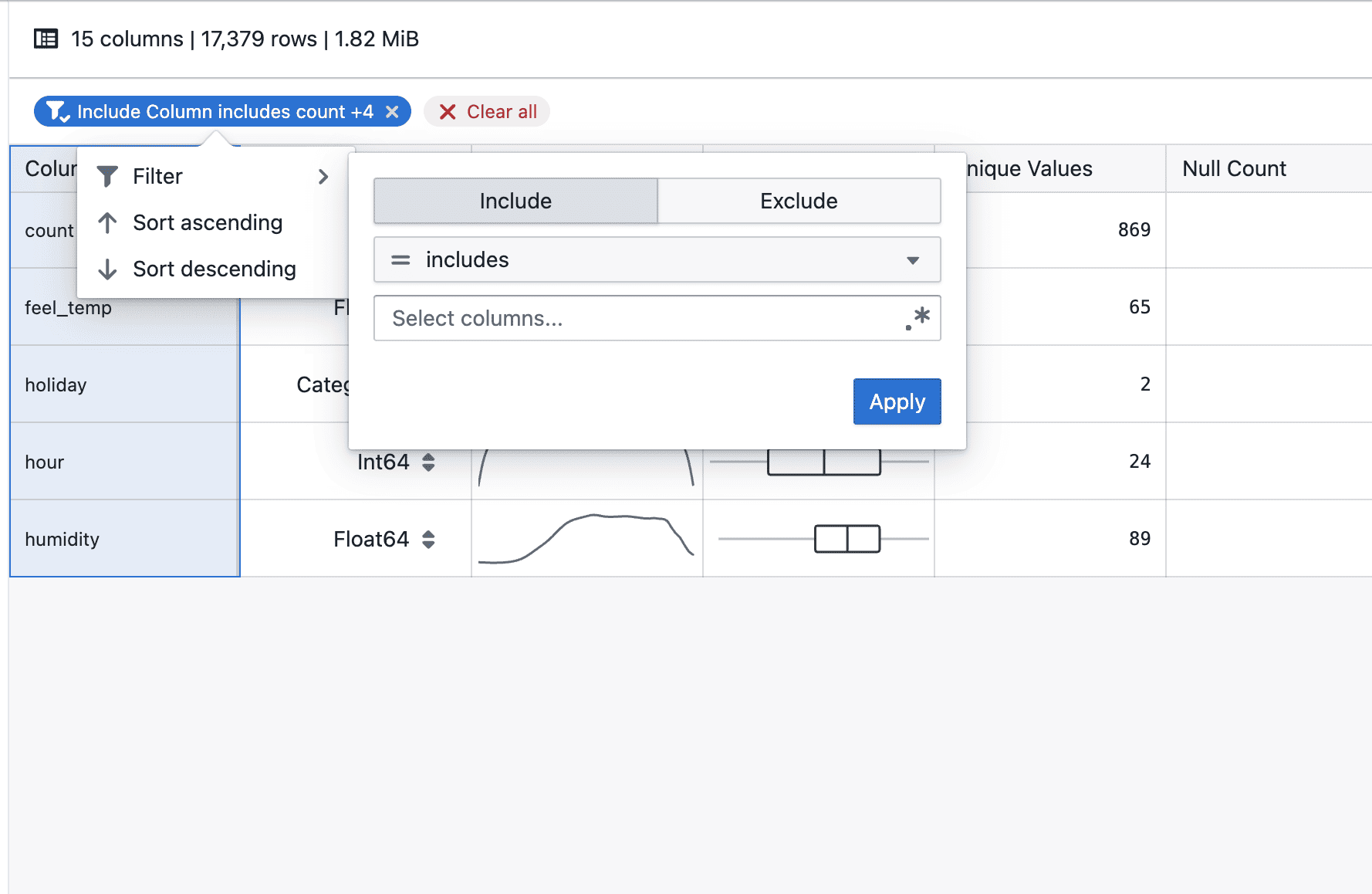
Column filtering in statistics tables

On hover

  • Hover over a column header to click on filter to access the filter menu

On applying

  • Select a filter operator and provide a value (where applicable)
  • Click Apply to add the filter condition

After applying

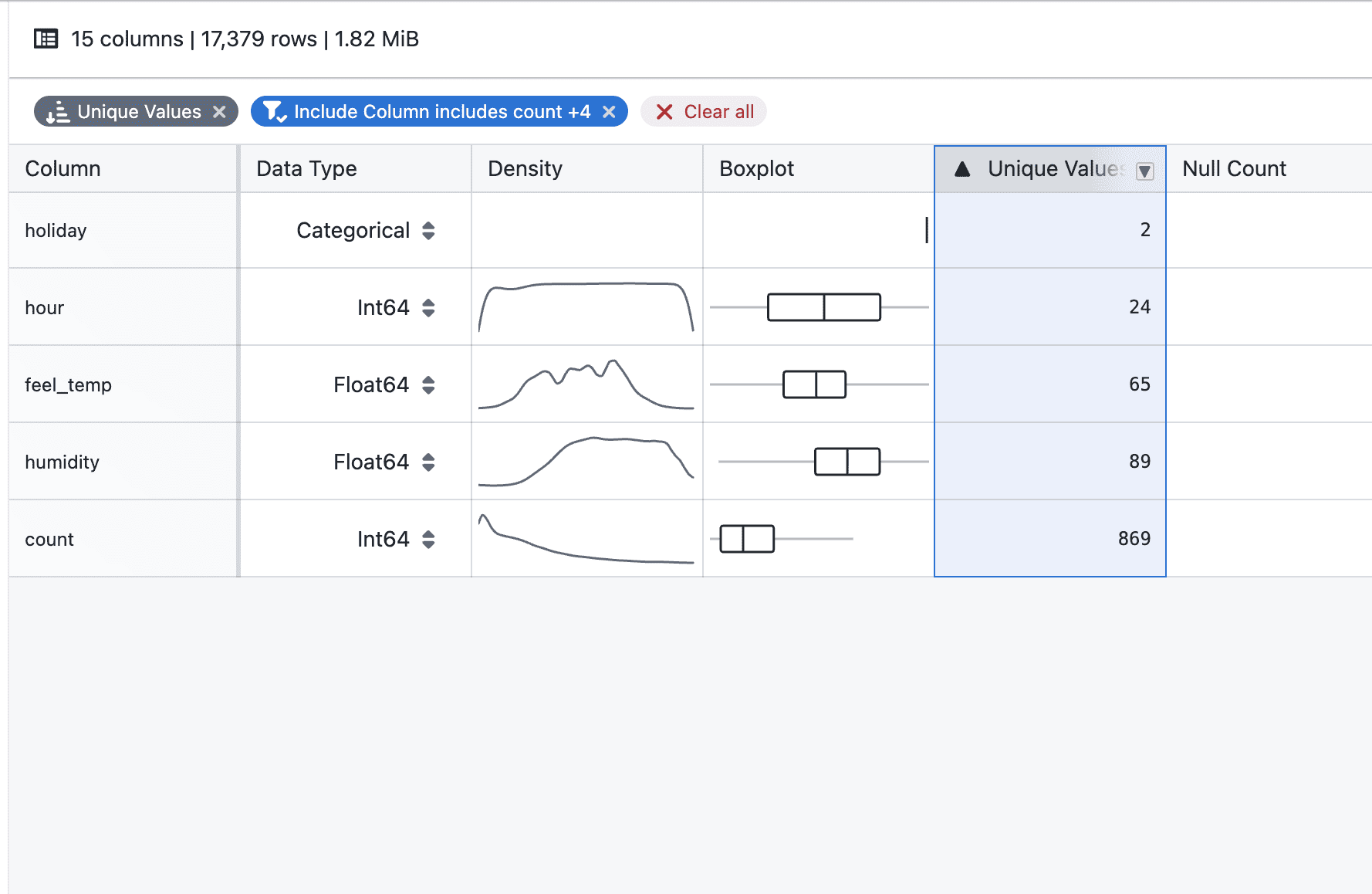
  • Applied filters appear as tags below the table header
  • Multiple filters can be added to progressively narrow down results
  • Individual filters can be removed directly from their tags

With sorting

  • Filtering and sorting can be used together to refine and order the displayed statistics

Notes

  • Filters apply to the currently displayed statistics
  • Multiple filters are combined to further narrow down results
  • Sorting respects the filtered result set
  • Filtering and sorting behavior may continue to evolve during the beta phase
  • If you notice any unexpected behavior, please share steps to reproduce

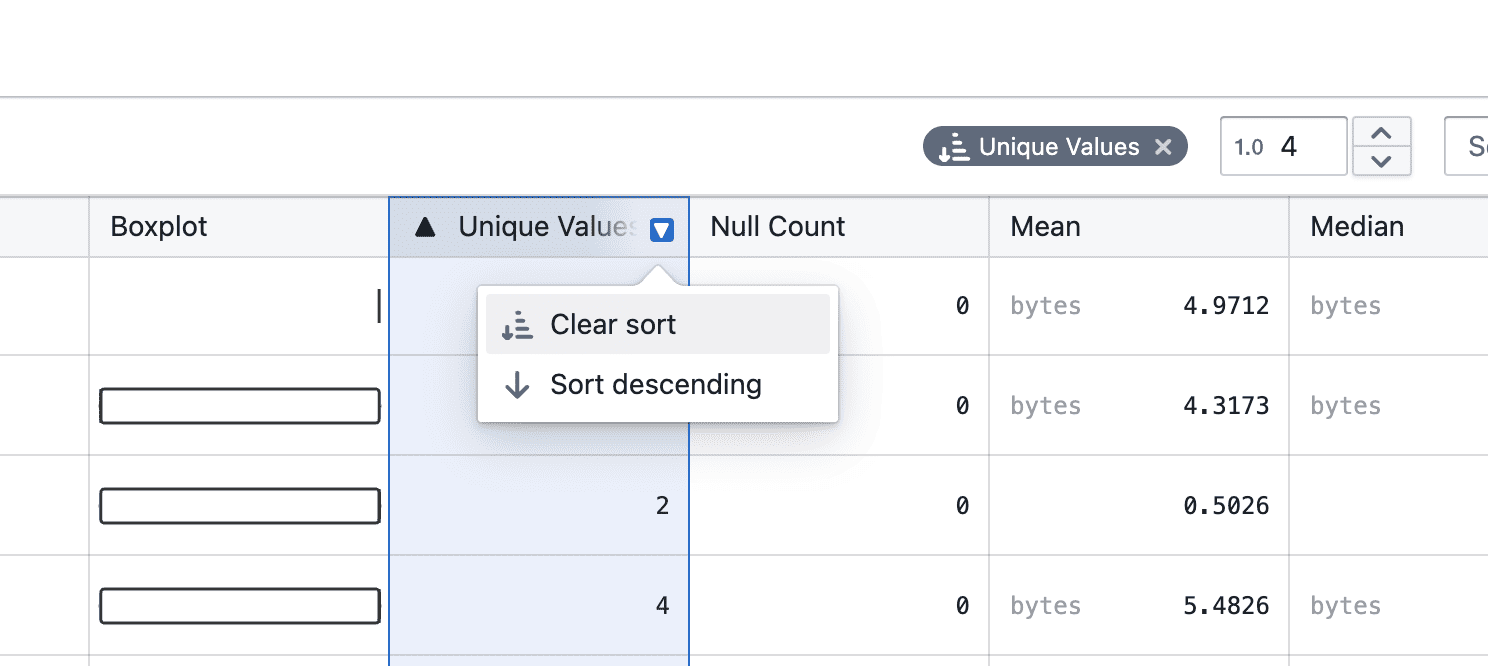
Add sorting to statistic table

Statistics tables now support column sorting to make it easier to compare and analyze values.

What’s included

Column sorting in statistics tables

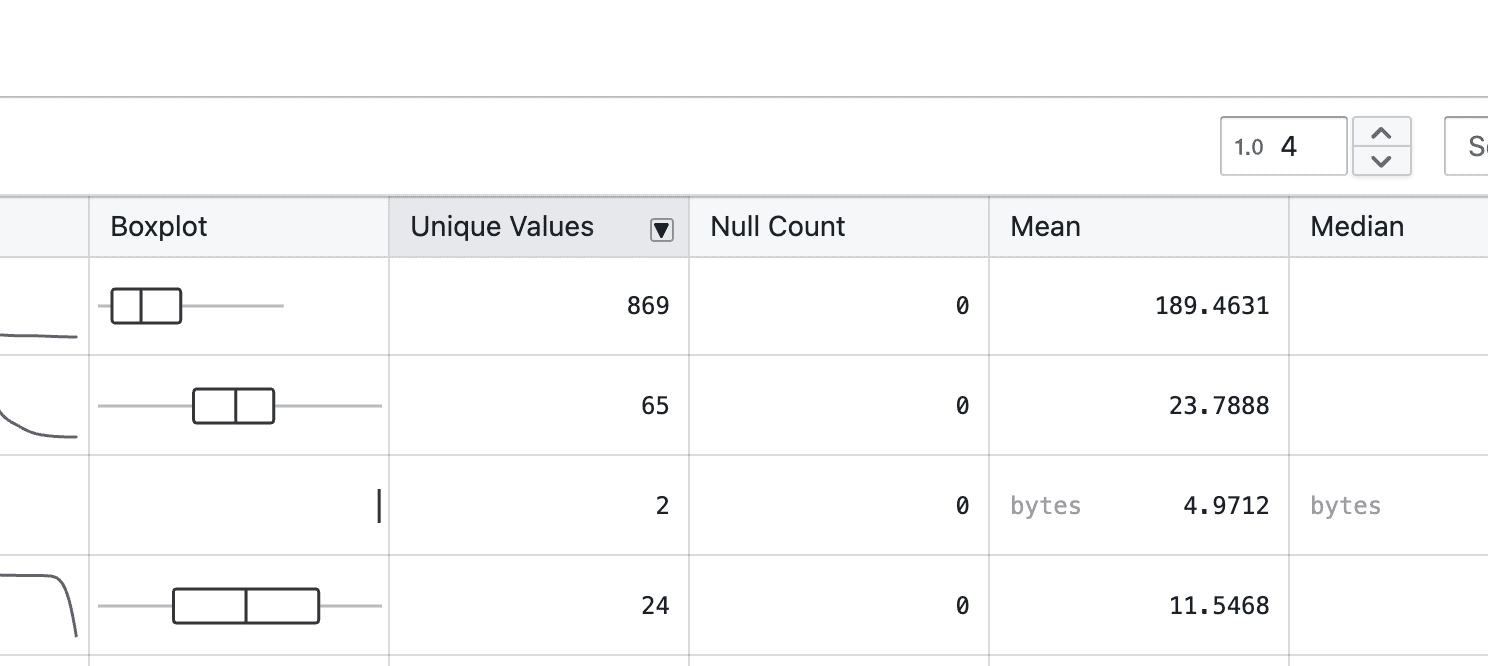
On hover

  • Hover over a column header to reveal the arrow-down icon

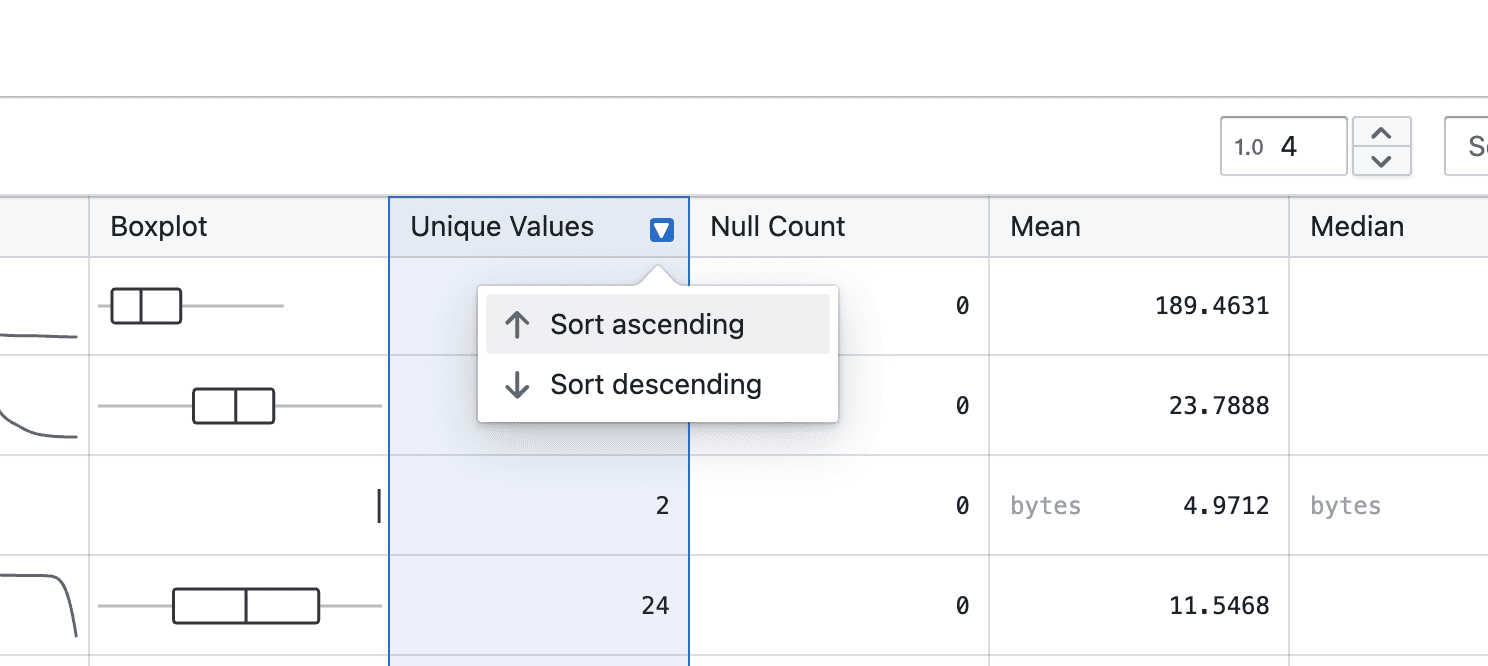
On click

  • Click the arrow-down icon to choose ascending or descending order

Sorted

  • Once selected, the active sort order is clearly indicated, and a tag appears at the top right

On clear

  • You can change the sort direction or clear the sort by clicking the column header again, or remove it directly from the tag

Notes

  • Sorting currently applies to the displayed statistics only
  • Additional enhancements, such as combining sorting with filters, will be added in future iterations
  • If you notice any unexpected sorting behavior, please share steps to reproduce

Release notes popup

Release notes now automatically pop up the first time a new update is available.

What’s included

Auto-open when there’s a new release

  • Release notes will open automatically when there’s a newer release than what you last acknowledged
  • If you’ve already seen the latest release, it won’t pop up again
  • You can still open release notes anytime from Support → Release notes

Notes

  • This is an early version and we’ll refine the trigger rules over time
  • If you spot incorrect popup behavior (e.g. repeated prompts), please share:
    • steps to reproduce

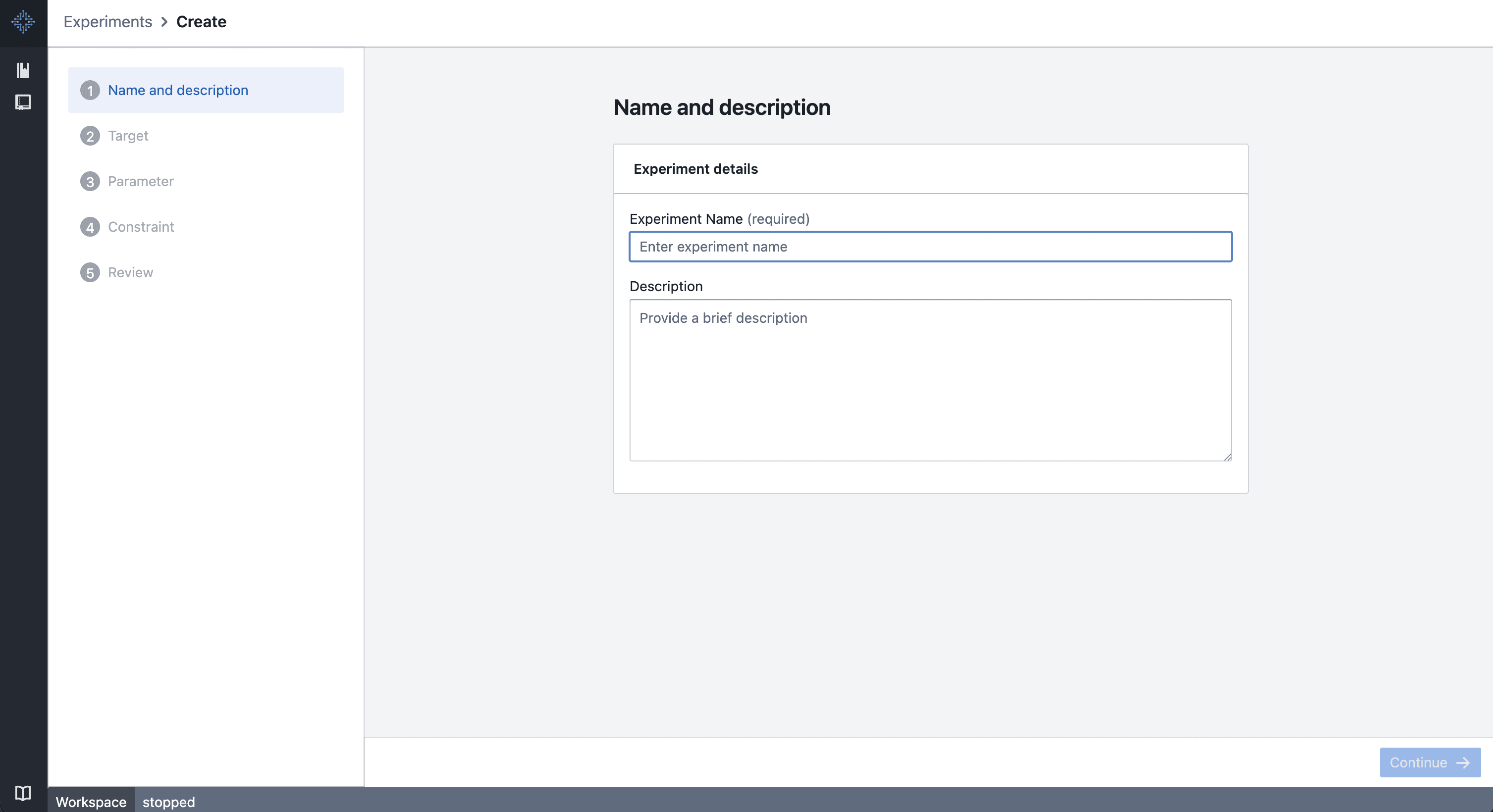
New experiment feature

We’re introducing a new experiment feature, now available to all users. This release is an early step to see how the feature works in practice and what we should improve next.

What’s included

Experiment creation

Create Experiments

  • Create experiments through a dedicated experiment workflow
  • Experiments serve as the top-level container for:
    • Trial definitions
    • Parameters and bounds
    • Results and visualizations

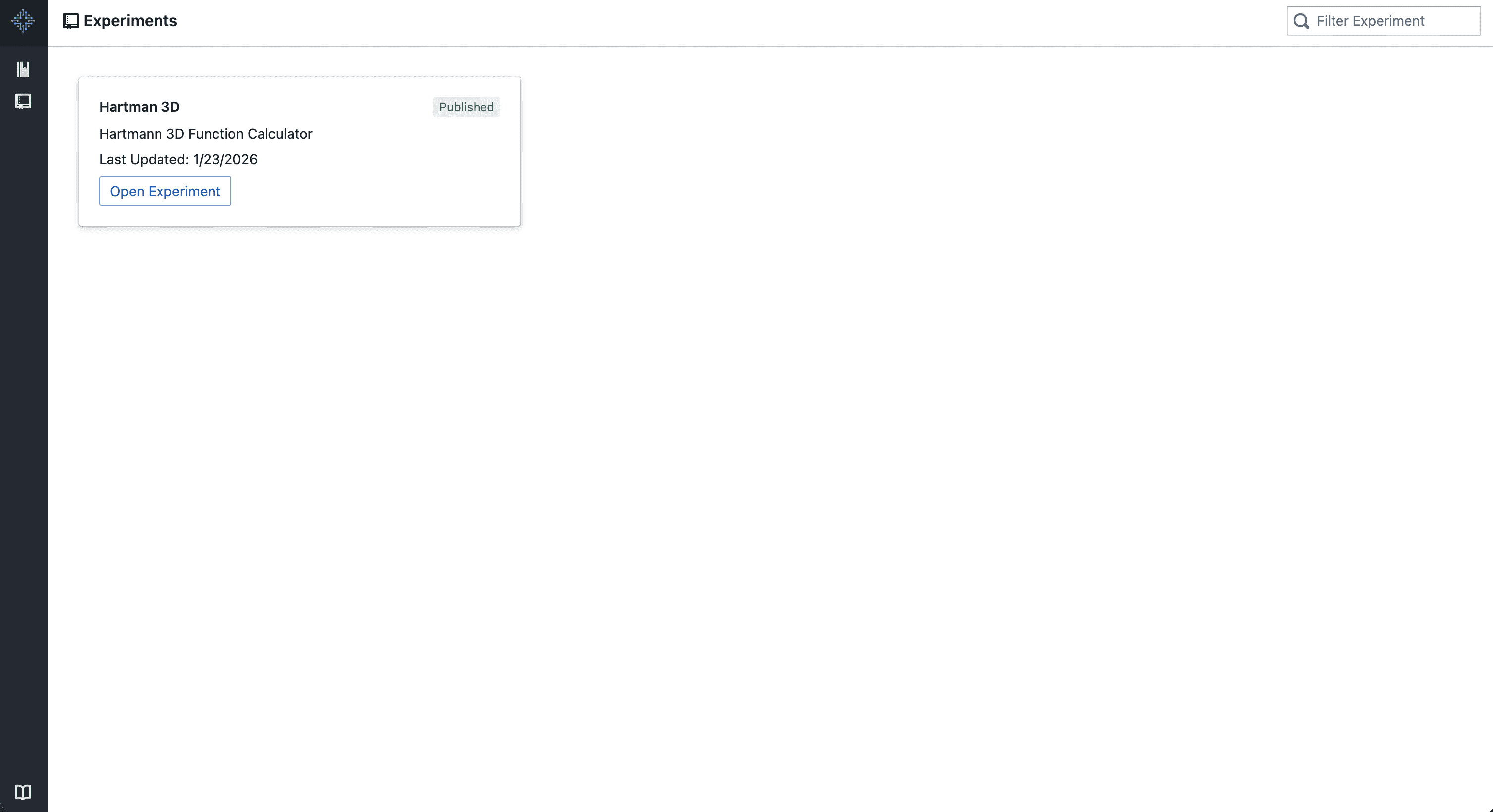
Experiments overview

Experiments Homepage

  • Centralized view of all experiments
  • Clear separation between experiments and other platform entities
  • Designed to support iteration and comparison across multiple experiments over time

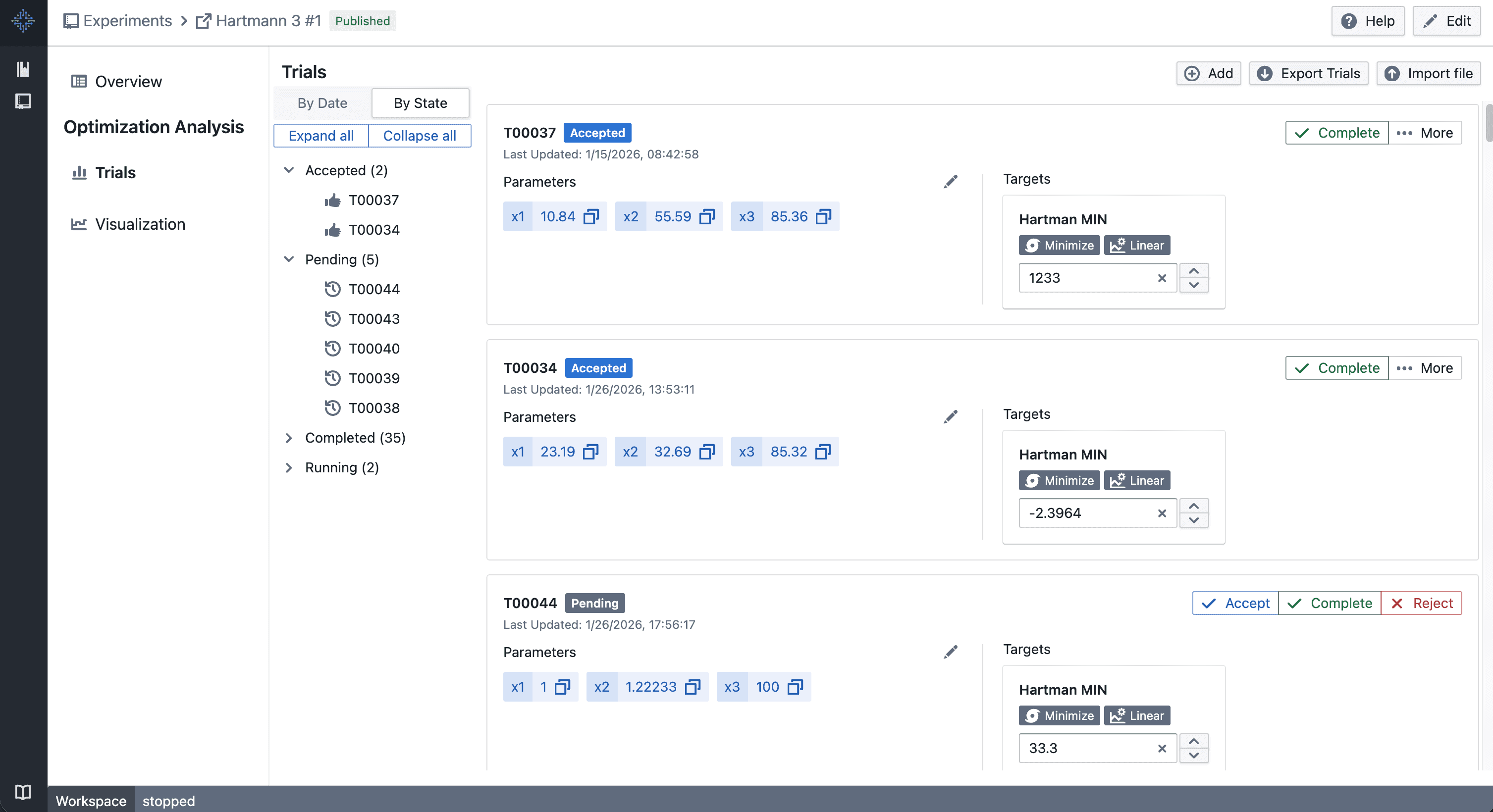
Trial setup (Design of Experiments)

Trial – Design of Experiments

  • Configure trials within an experiment using a design-of-experiments (DOE) approach
  • Define input parameters and value ranges per trial
  • Supports structured experimentation workflows rather than ad-hoc runs
  • Trial configuration is kept inline to minimize context switching

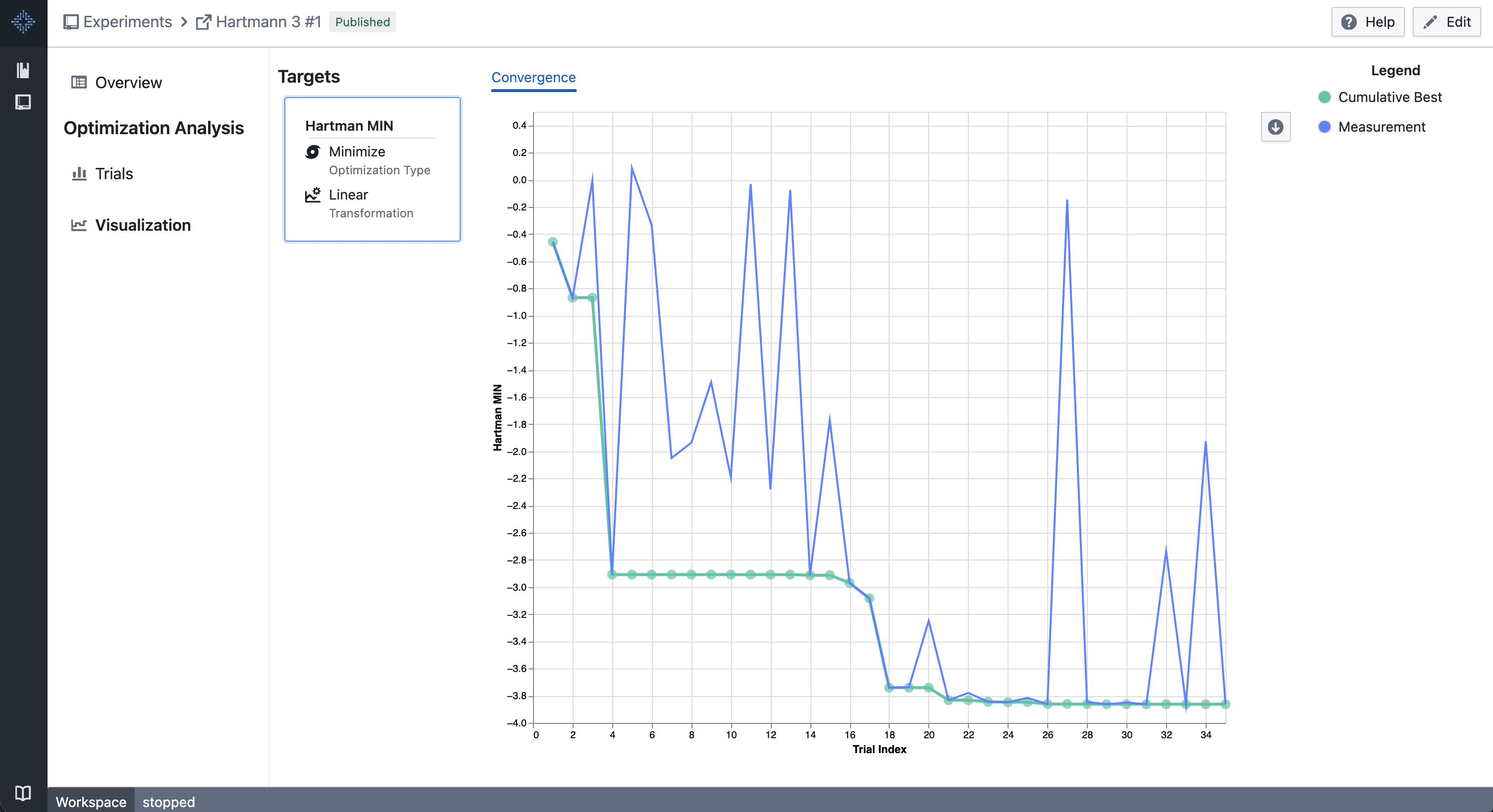
Visualization

Visualization

  • Early-stage visualizations for experiment results
  • Designed to help validate experiment behavior and outcomes

For more details on how this experiment works and what to expect, see the documentation:
Learn more about experiments

We especially encourage you to try it out using our Hartmann3 tutorial in the docs, which walks through a practical, end‑to‑end example.


Notes

  • Access to a new capability that is still under active development
  • Improvements may be rolled out iteratively during the experiment
  • We’ll use usage data and user feedback to decide on the final scope and direction

Navigation layout update

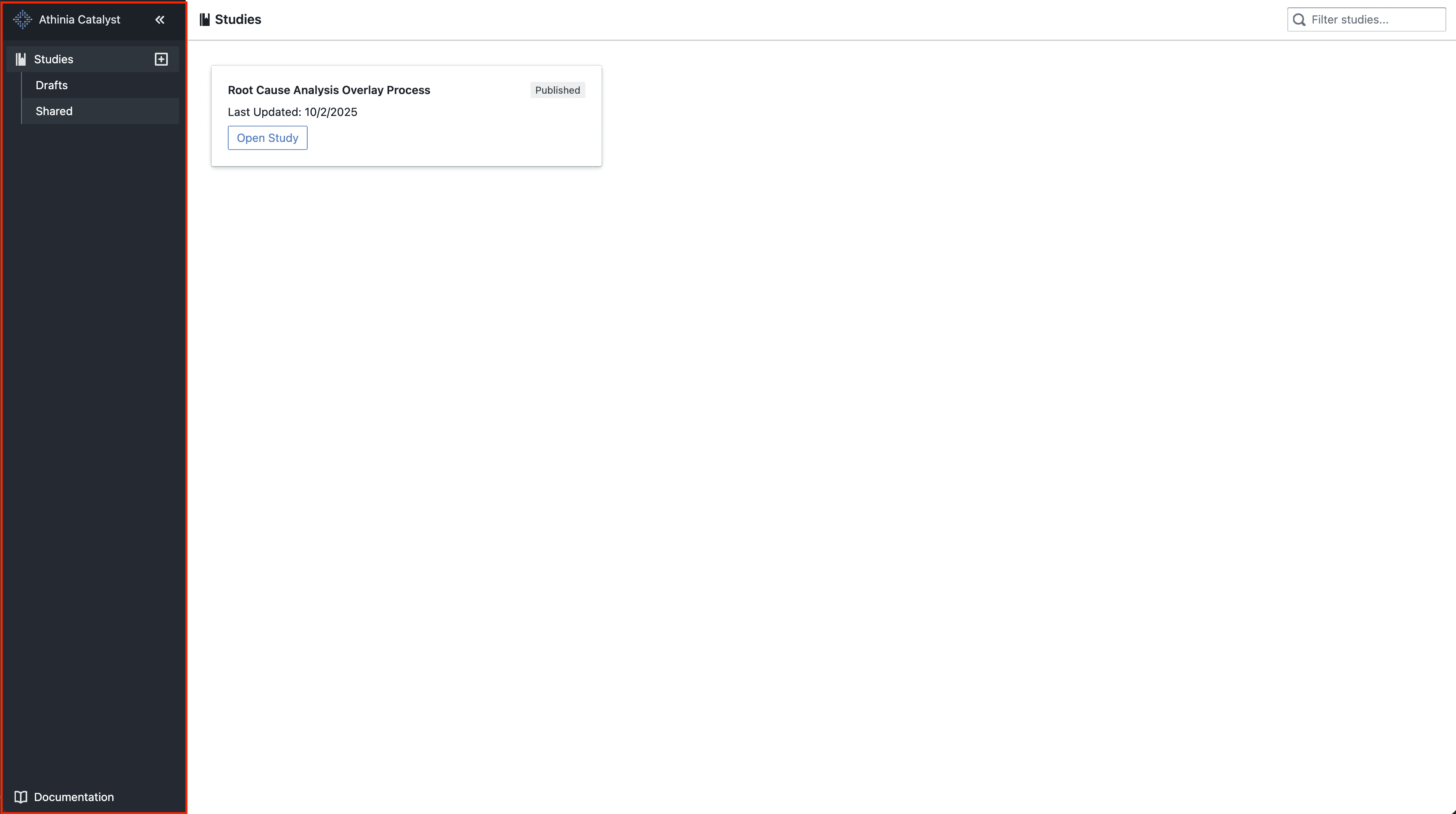
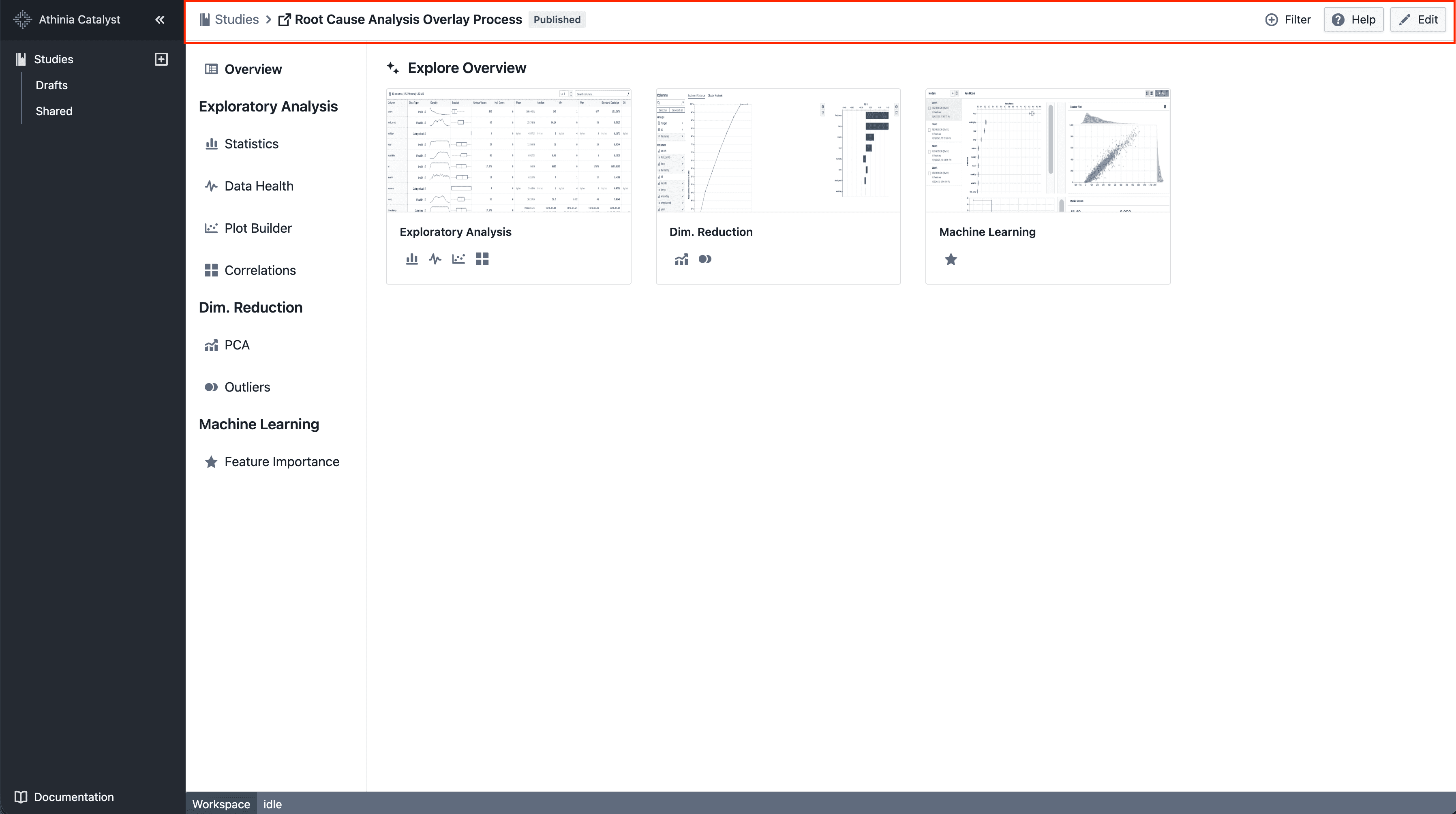
We’re moving towards a sidebar-based navigation to improve scalability and deliver a more consistent navigation experience as the platform evolves.

What’s included

Left-hand sidebar

New navigation layout

  • Main navigation moved into a left-hand sidebar
  • Collapsible sections for better organization

Simplified top bar

New navigation layout

  • A simplified top bar, starting with breadcrumbs

Notes

  • This is an incremental update during beta
  • Navigation patterns may continue to evolve based on feedback