Column Management
Rename and include or exclude columns across your study from Column Management.
What's included
Column Management
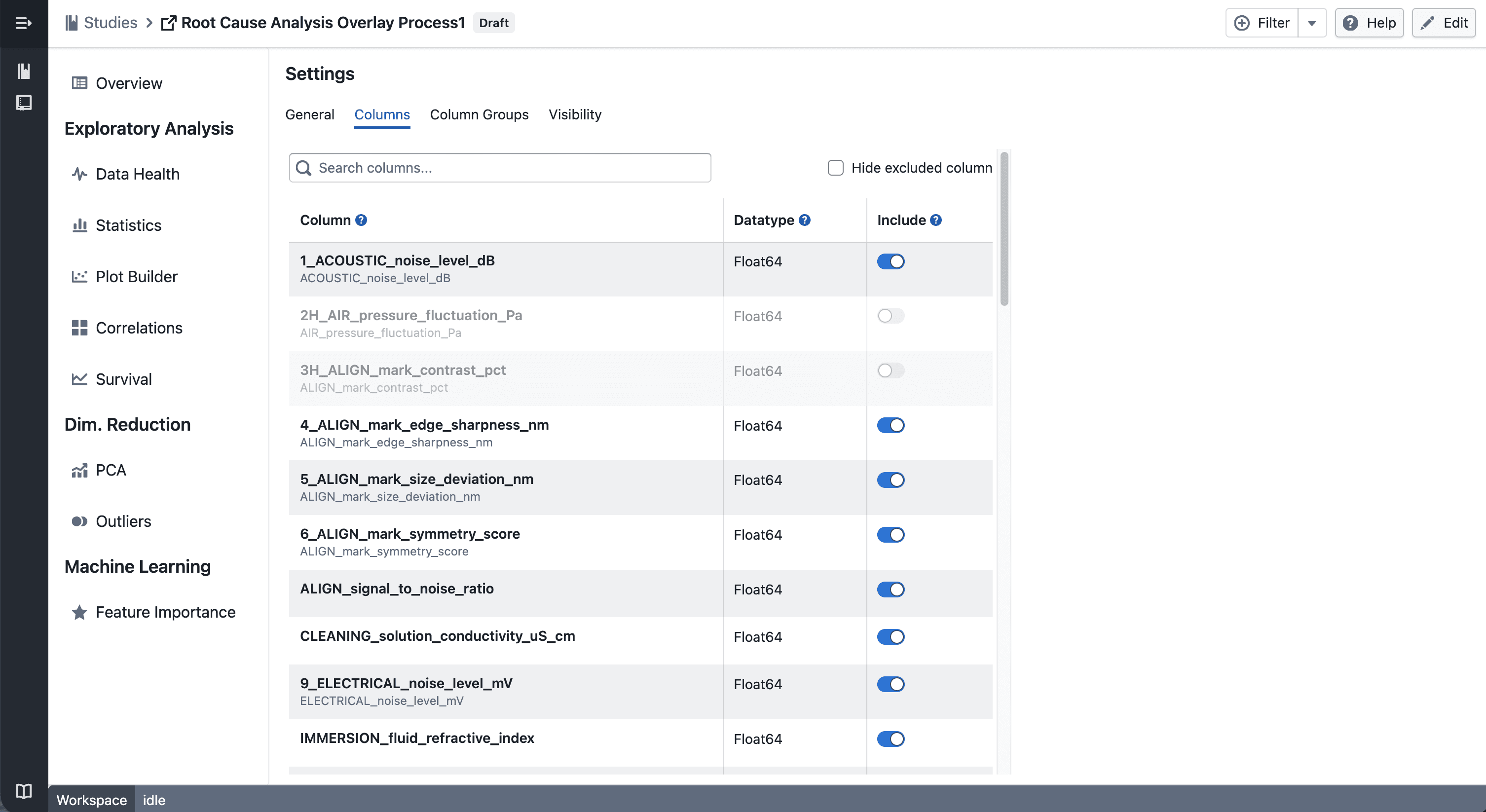
You can now manage columns from Edit → Columns.
- Exclude columns to remove them from all views in the study — including plots, statistics, and column groups
- Include columns again at any time to restore them across the study
Update Column
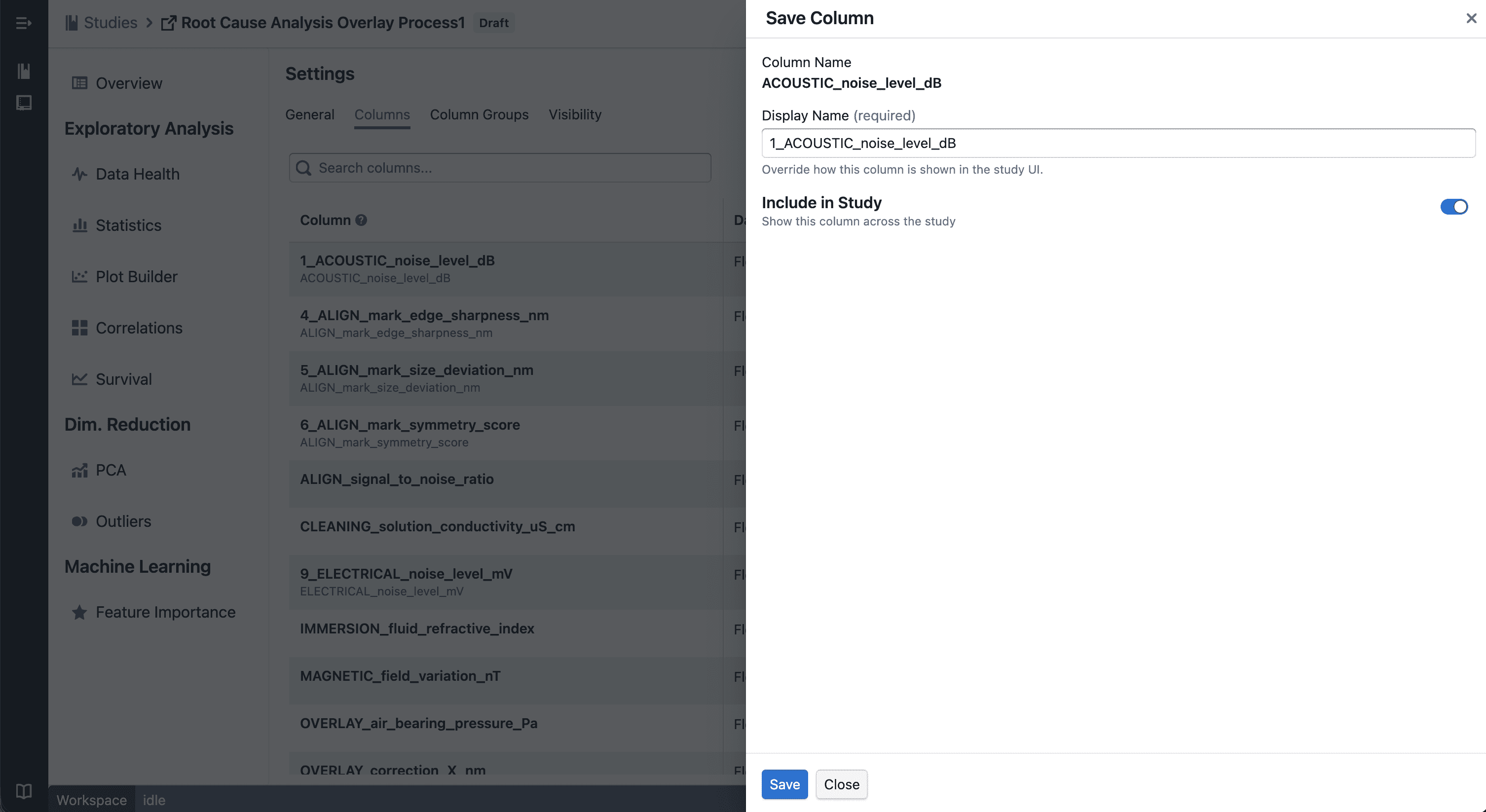
- Rename columns to use more meaningful display names across your study
- Changes are applied consistently across all views
Notes
- Excluded columns are hidden, not deleted — your underlying data remains unchanged
- Renaming affects display only and does not modify raw data
- If you notice any unexpected behavior, please share steps to reproduce