Drop Column in Data Health
You can now drop columns directly from the Data Health table. Dropped columns are hidden across all study views and the change is saved automatically.
What's included
Drop Column
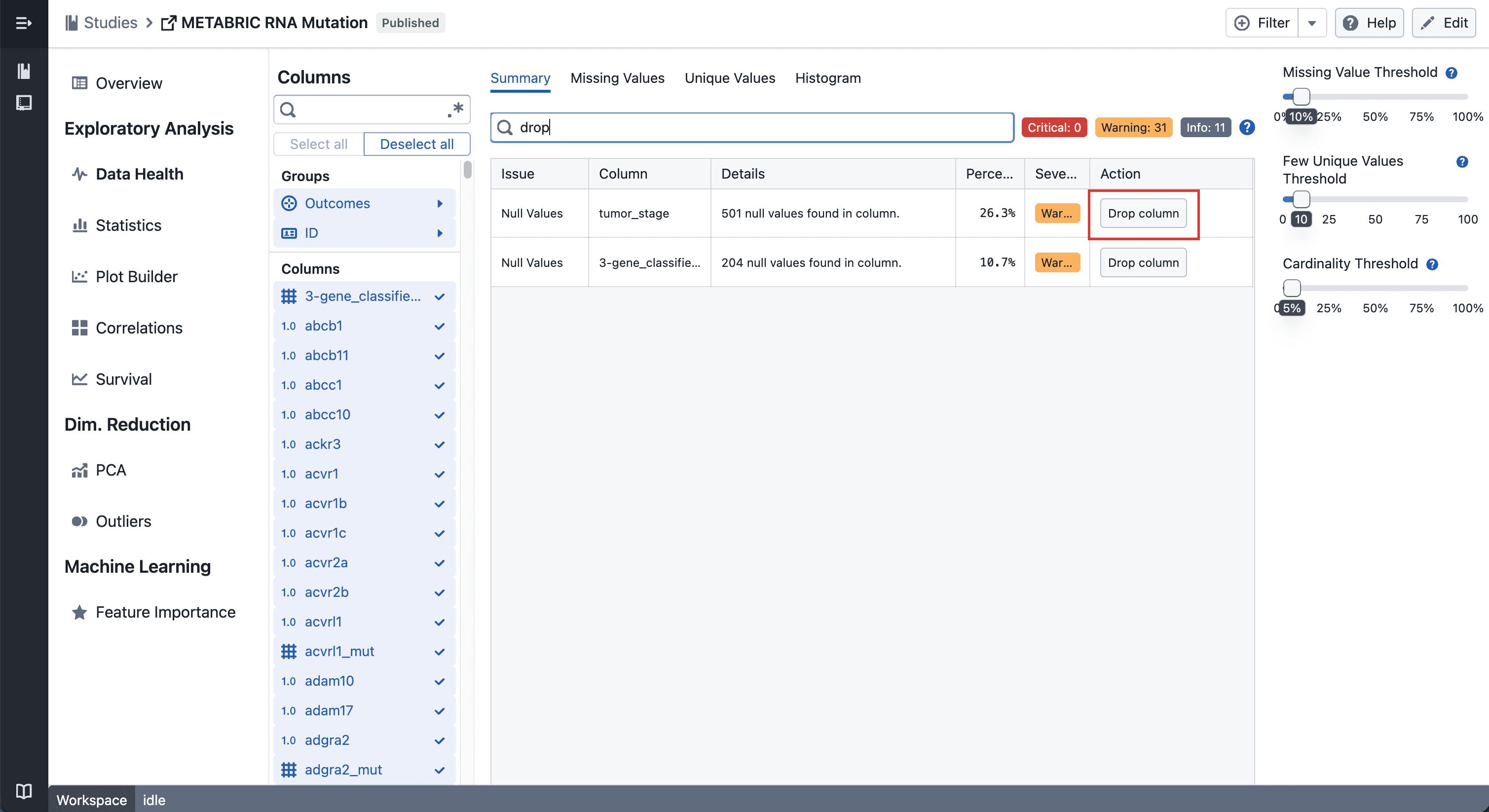
Click the drop button on any row in the Data Health table to hide that column across all views in the study — plots, statistics, and column groups included.
Undo
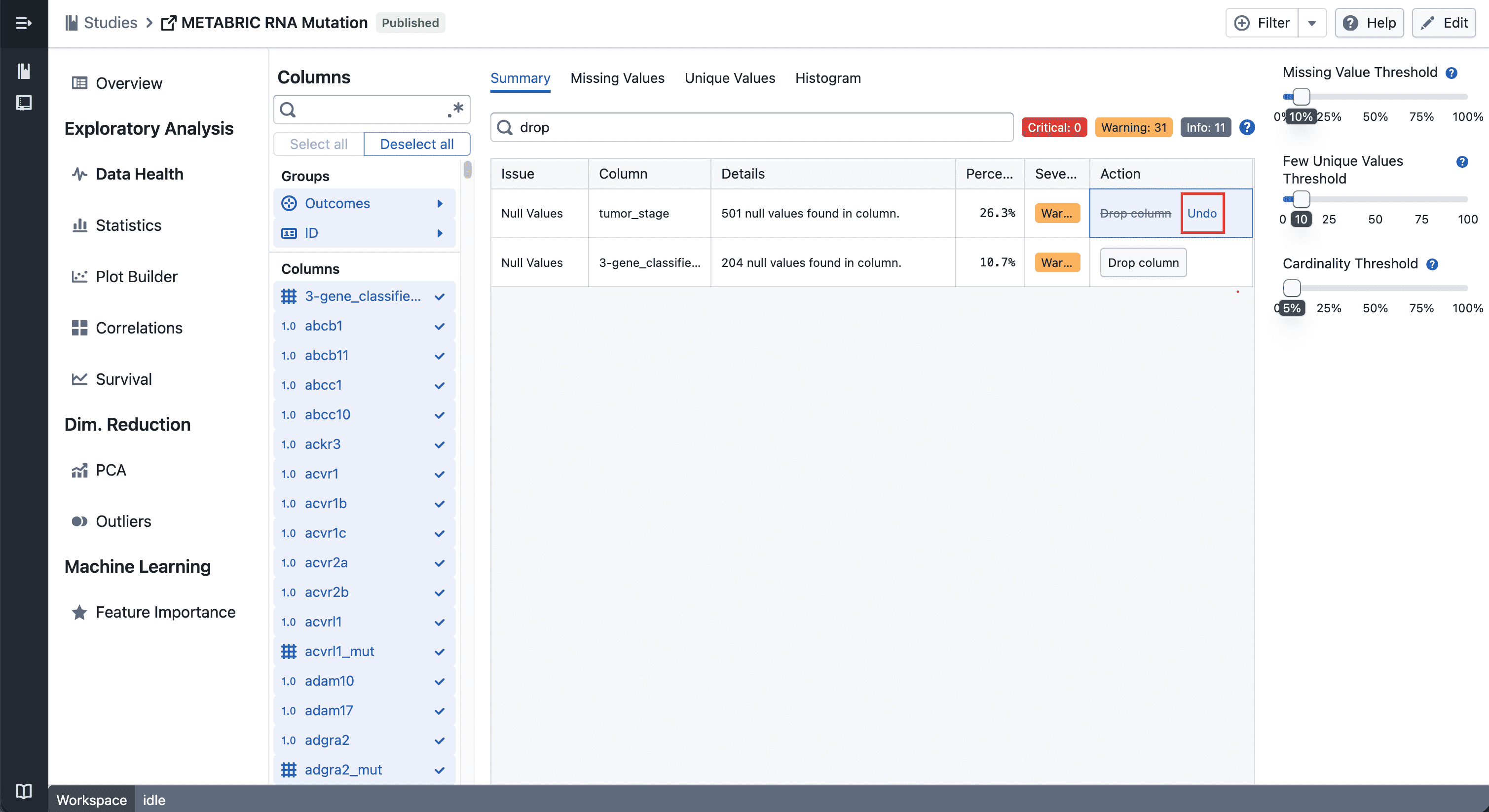
Changed your mind? Hit the undo button on the same row to bring the column back instantly.
Notes
- Dropped columns are hidden, not deleted — your data stays intact
- If you notice any unexpected behavior, please share steps to reproduce