Insights
The Insights page helps you understand why the experiment is trending the way it is: which parameters drive the targets, and how parameter settings relate to outcomes across trials. Open it from the experiment detail view under Insights.
What you can analyze
- Parameter importance explains the fitted surrogate model's output for a selected target. It includes a beeswarm plot for the direction and distribution of SHAP values and a bar chart for overall importance. It requires enough completed measurements to fit the model.
- Parallel coordinates plots every completed trial as one line across all parameters and the selected targets, using the completed measurements directly. It helps you see which parameter settings lead to high or low target values.
Both views are always listed, regardless of the experiment's objective or number of targets.
How to use the page
Select targets or parameters
The left side of the page changes based on the active view:
- In Parameter importance, select one target to explain its surrogate model output.
- In Parallel coordinates, choose which targets to add as axes. The view starts with one target selected.
Use the right toolbar
In Parameter importance, the right toolbar displays a feature-value scale when the experiment has numeric parameters. Adjust its range to filter numeric points in the beeswarm plot.
In Parallel coordinates, the right toolbar shows Color and its color scale. Drag a target from the target list onto Color to color lines by that target. Adjust the color scale range to show only trials within that range of target values.
Reading the views
Parameter importance
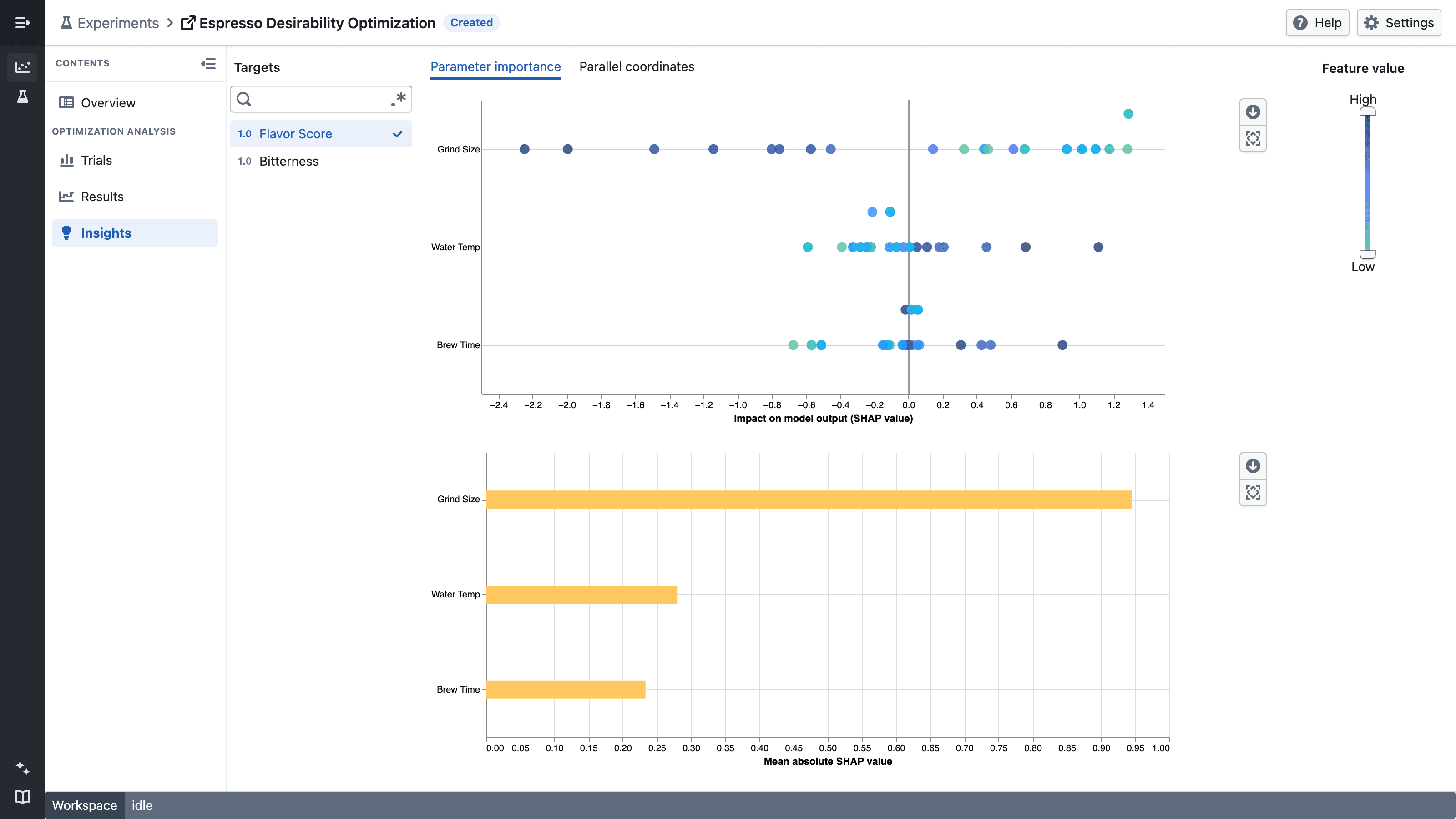
Select a target to explain its surrogate model output. Both charts order parameters by their mean absolute SHAP value, with the most important parameter first.
- The beeswarm plot shows one point per completed trial used to explain the model. Values farther from zero have a larger impact on the model output. Positive values increase the output relative to its baseline, while negative values decrease it.
- For each numeric parameter, point color represents its relative feature value from low to high. Categorical parameter values appear in gray.
- The bar chart shows the mean absolute SHAP value across the completed trials. Longer bars identify parameters with a larger average impact, regardless of direction.
Use the feature-value range control to focus the beeswarm plot on lower or higher numeric parameter values. The control does not filter categorical points or change the bar chart.
Parallel coordinates
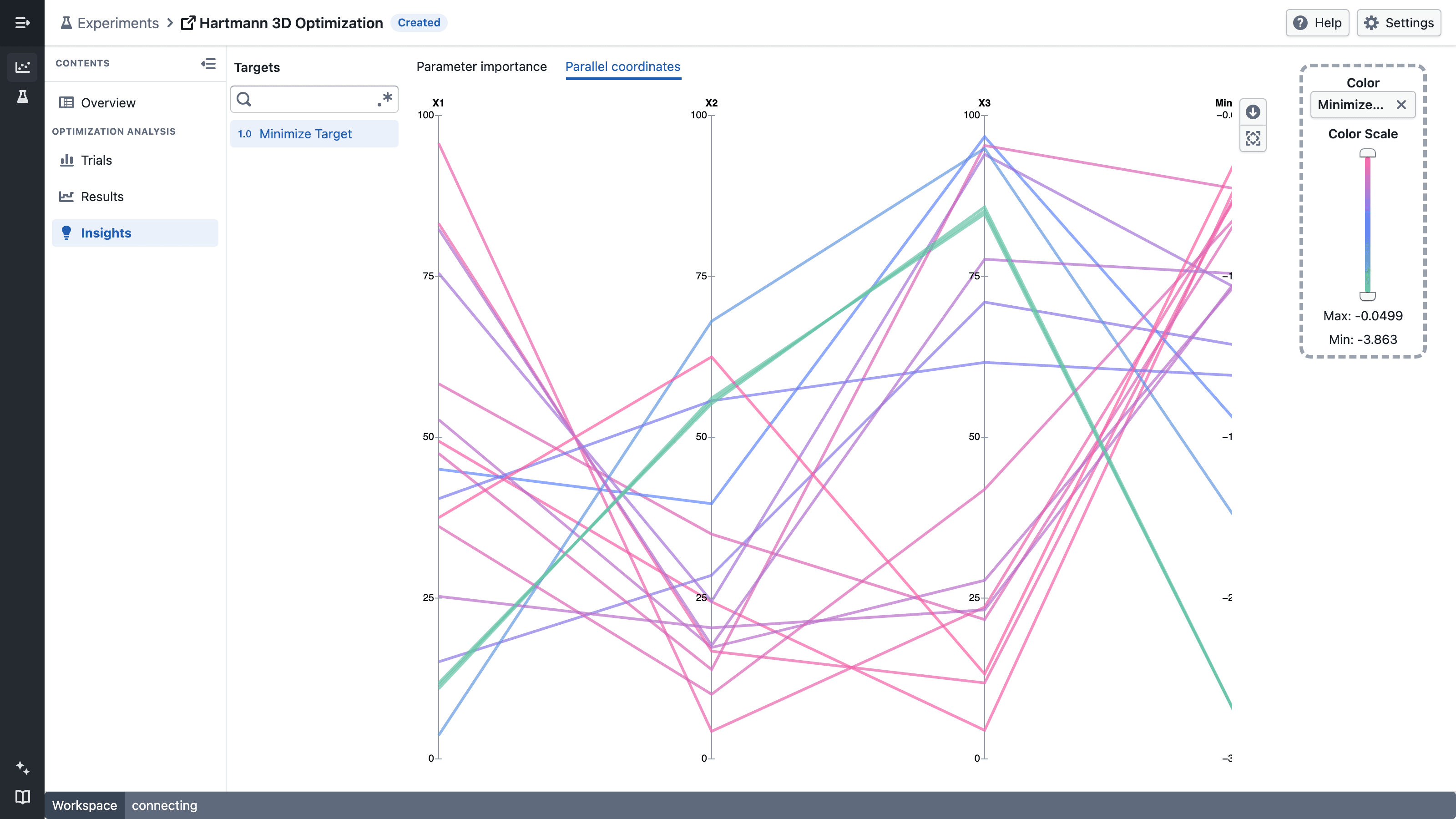
Use Parallel coordinates to answer:
- Which parameter settings do the best trials have in common?
- Are good results concentrated in one region of a parameter, or spread across its range?
- How do settings for one parameter relate to settings for another?
Each completed trial is drawn as one line. The line crosses every parameter axis, followed by an axis for each selected target. Every axis has its own scale, so parameters and targets with different units can be compared side by side. Numeric axes show their values as ticks, and categorical axes show one tick per category. Hover over a line to see the trial number and its value on every axis.
Lines are colored by the last selected target, so you can follow where trials end up. To color by a different target, drag it from the target list onto Color in the right toolbar. If that target is not selected yet, it is added to the chart. Clear Color to draw every line in a single color.
Drag an axis title left or right to change the order of the axes. For example, move a parameter next to a target to see how the two relate.
When several trials share the same value on an axis, their lines are spread slightly apart so each one stays visible. Trials with a unique value stay exactly on their tick.
Notes
- Both views become more useful as more trials are completed: Parameter importance needs enough measurements for the surrogate model to fit reliably, and Parallel coordinates has more lines to compare.
- Parameter importance explains the fitted model and does not establish that a parameter causes a target outcome.
- Parallel coordinates only shows completed trials that have a value on every axis. Axis order and the color choice reset when you leave the page.
- Looking for convergence, desirability, or the Pareto front? Those live on the Results page, which focuses on what happened across trials rather than why.