Constraints
Note about BayBE
Catalyst uses BayBE under the hood. BayBE may evolve over time. This page explains parameters in non-technical terms as they are used in Catalyst today. For the detailed technical reference that Catalyst is aligned with, see the BayBE 0.15.0
Experiments in Catalyst use constraints to describe what is allowed, safe, or practical. This page summarizes BayBE's ideas on constraints in non-technical language and explains how they appear in the Constraint step of the Create Experiment wizard.
Constraints describe what is allowed, safe, or practical. They prevent BayBE from recommending trial settings you cannot (or should not) run. In BayBE terms, constraints restrict the feasible region of the search space.
Where you see constraints in Catalyst
In the Create Experiment wizard, constraints are configured in the Constraints step.
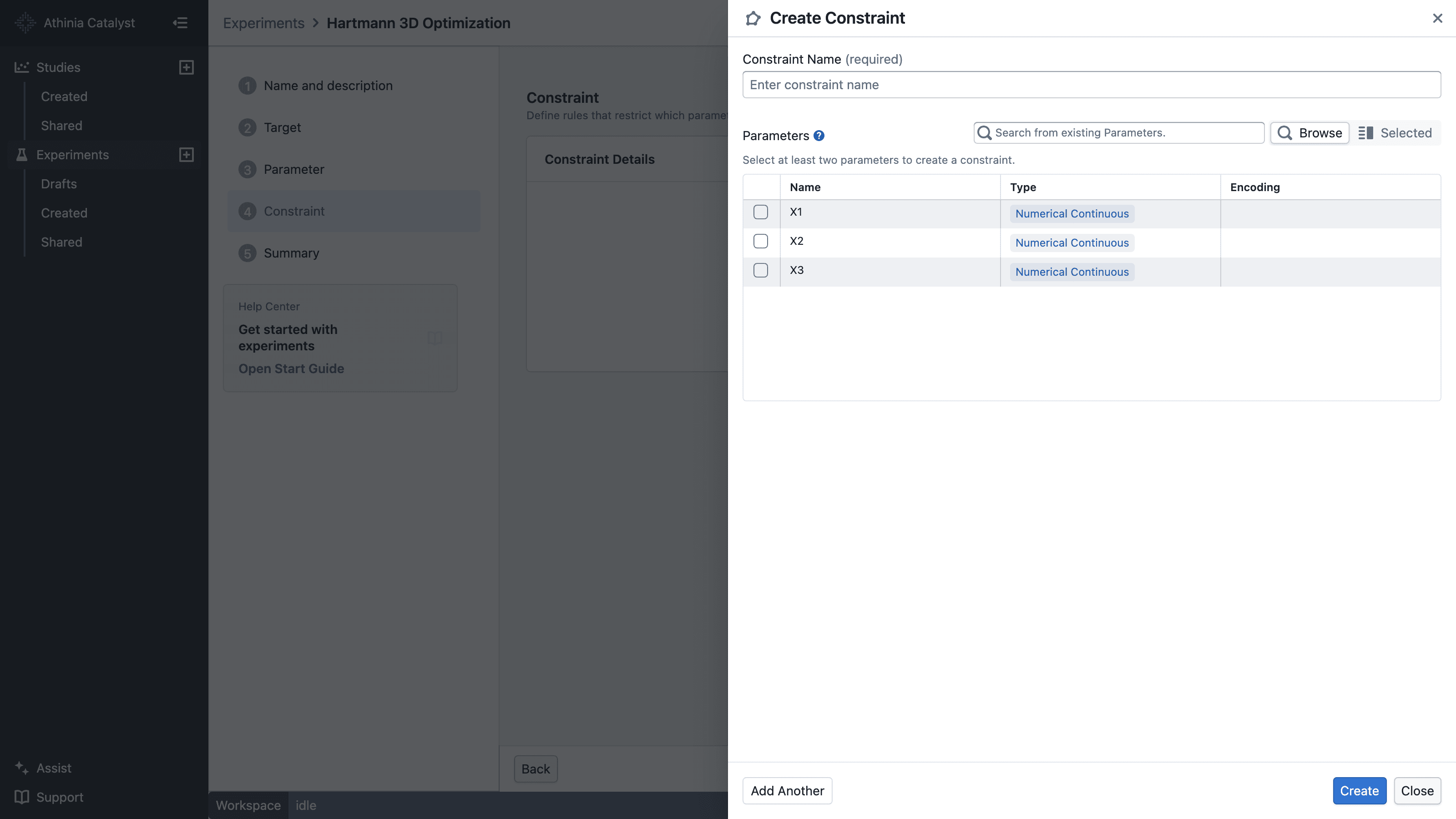
Select Add Constraint to open the constraint drawer. Enter a name, select the parameters involved, choose the constraint type and relationship, then provide the required value. Select Create to save it.
Saved constraints appear in the Constraints step, where you can review them before continuing.
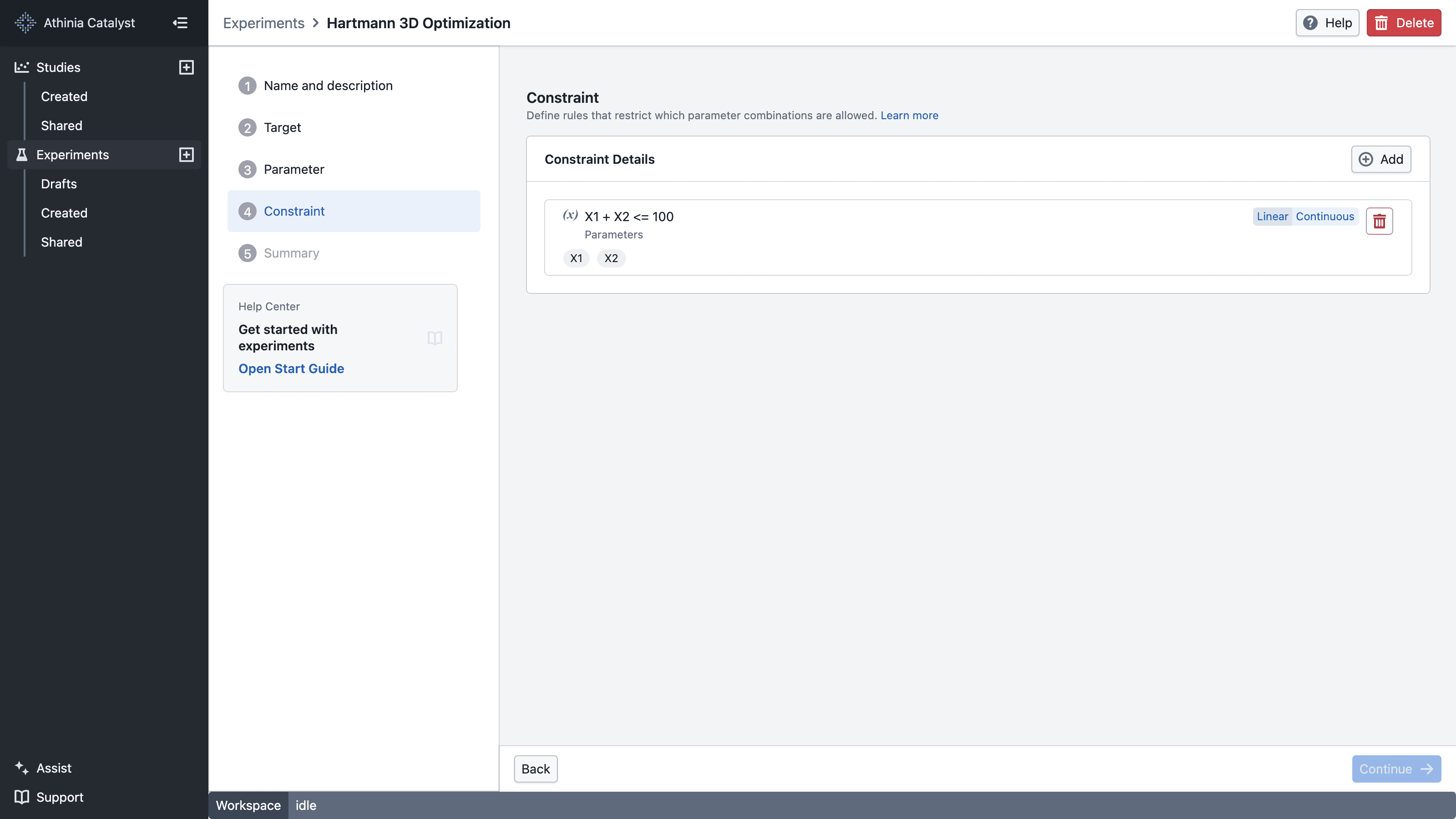
Constraints are optional:
- If you don’t add any constraints, you can still run the experiment.
In Catalyst:
- Single-parameter limits (for example, oven temperature between 150 and 200 deg C) are usually encoded as parameter ranges in the Parameters step, not as constraints.
- Constraints in the UI always involve two or more parameters, such as "A + B ≤ 100" or "if X then not Y".
What makes the Constraints step "invalid"
- If constraints exist, block progress when any constraint has validation errors (missing parameters, impossible rule, malformed expression, etc.).
- If there are no constraints, the step should be valid.
What is a constraint?
A constraint is a rule that determines whether a proposed combination of parameter values is valid.
Examples that match the UI:
- "A + B ≤ 100" (combined sum of two parameters)
- "If catalyst is X, solvent cannot be Y" (dependency/exclusion between two categorical parameters)
Common constraint styles
Keep these as the user-facing mental model:
-
Simple bounds (via parameter ranges)
- Limits on a single parameter (min/max)
- Configured in the Parameters step, not in the Constraints step
-
Combined rules (via constraints)
- Relationships across multiple parameters
Examples: weighted-sum (linear) or product limits, dependencies, exclusions.
- Relationships across multiple parameters
Linear and product constraints on discrete parameters
For discrete numerical parameters, two constraint types compare a combination of the selected parameters against a right-hand side value using an operator (=, !=, >, <, >=, <=):
- Linear: a weighted sum of the parameters. Each parameter has a coefficient (default 1), so you can express rules such as "A + B ≤ 100" or "2 × A + B ≤ 100".
- Product: the product of the parameters, such as "A × B ≤ 400".
For = and !=, you can also set a tolerance to allow approximate matches. Tolerance is not used with the other operators.
Example: keep one parameter at or below another
Suppose you have two discrete numerical parameters, x0 and x1, and want to make sure that x1 ≤ x0.
A Linear constraint compares a weighted sum against a value, so move both parameters to one side: x1 ≤ x0 is the same as x0 − x1 ≥ 0. In the constraint drawer:
- Select
x0andx1as the parameters and choose the Linear constraint - Set the coefficient of
x0to 1 and the coefficient ofx1to −1 - Select the
>=operator and set the right-hand side to 0
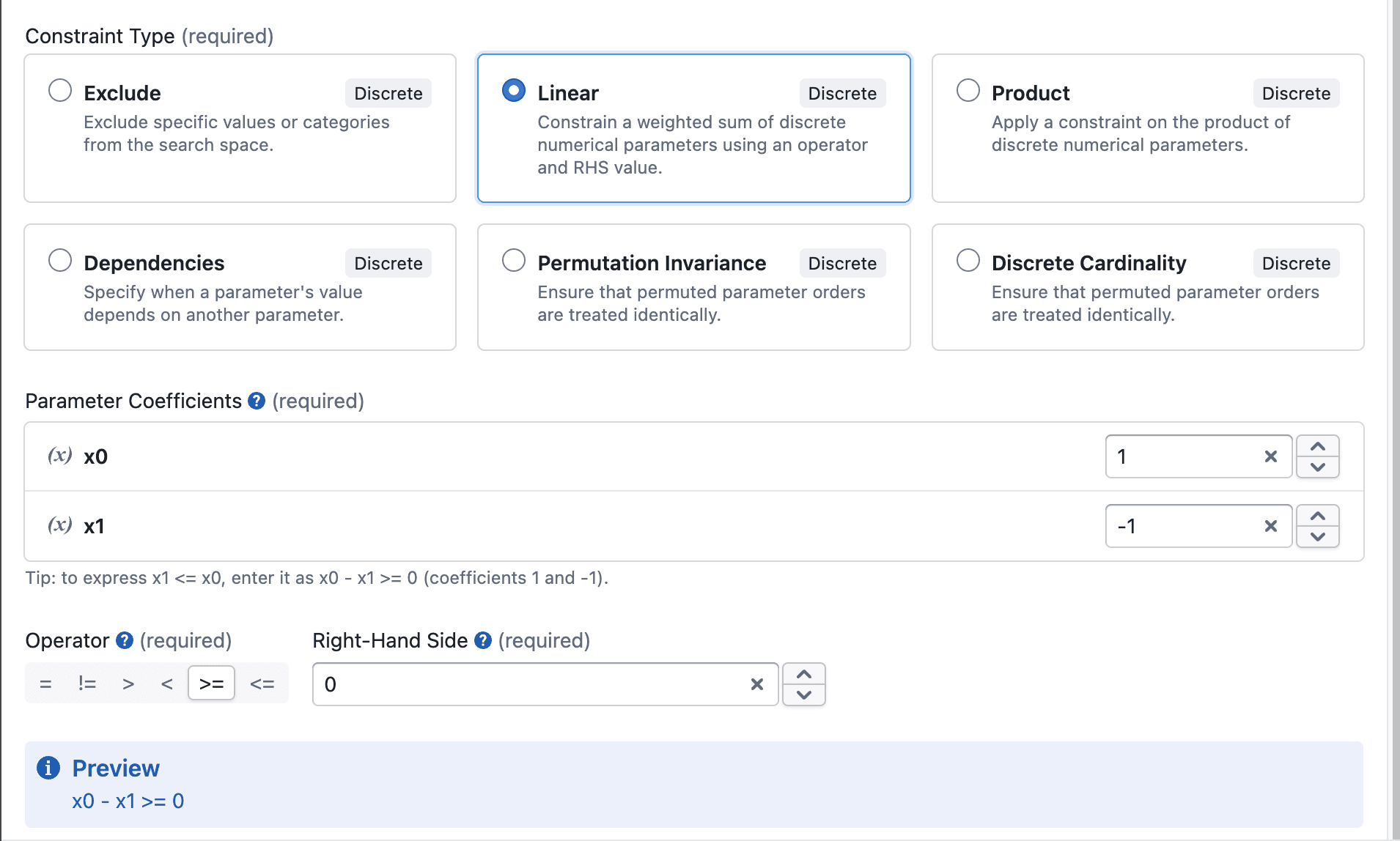
BayBE then only recommends combinations where x1 is less than or equal to x0.
Everyday example (how to think about it)
Using the cake example from the Concepts page:
-
Oven temperature (150–200 °C)
- Define this as a continuous parameter named
oven_temperaturein the Parameters step.
- Define this as a continuous parameter named
-
Baking time (20–35 minutes)
- Define this as an integer parameter named
baking_timein the Parameters step.
- Define this as an integer parameter named
-
White sugar (0–300 g)
- Define this as an integer parameter named
sugar_whitein the Parameters step.
- Define this as an integer parameter named
-
Brown sugar (0–300 g)
- Define this as an integer parameter named
sugar_brownin the Parameters step.
- Define this as an integer parameter named
Those are simple bounds on a single parameter each, so they live in the Parameters step.
Now add a rule that combines two parameters:
- Total sugar (white + brown) must be at most 300 g
This rule cannot be expressed as a bound on a single parameter, because it depends on the relationship between two parameters.
Therefore, it belongs in the Constraints step.
In the UI, you would:
- Select
sugar_whiteandsugar_brownas the parameters - Choose the Linear constraint and keep both coefficients at 1
- Select the
<=operator and set the right-hand side to 300 g
This is the kind of rule Catalyst’s Constraints step is designed for: tying parameters together in ways that parameter ranges alone cannot capture.
Why constraints matter
- Safety: avoid dangerous operating regions
- Feasibility: avoid impossible combinations
- Efficiency: reduce wasted trials and focus learning where it matters
Practical tips
- Encode hard safety/equipment rules as either tight parameter ranges or explicit constraints when they involve multiple parameters.
- Avoid making constraints so strict that almost nothing is allowed.
- If constraints change mid-experiment, document why (it changes what can be explored).
Further reading
- BayBE Constraints: https://emdgroup.github.io/baybe/0.15.0/components/constraints.html