Register a Dataset
Any organization's private datasets must be registered in UCP before these datasets can be nominated and approved for sharing in cross-organization use cases.
When an organization's data is ready to be shared with another organization, the data is made available in a “Shared Landing Project” in the Athinia Shared Namespace via project references (and subsequently registered in UCP). This "Shared Landing Project" will be created for (and restricted to) every client organization during Athinia onboarding.
- Setup data copy repository within "Shared Landing Project":
- Initialize a Python repository in the project and name it “Data Copyover” (or something similar).
- Create a new file at the path: “/transforms-python/src/myproject/datasets/dataset_copyover.py”.
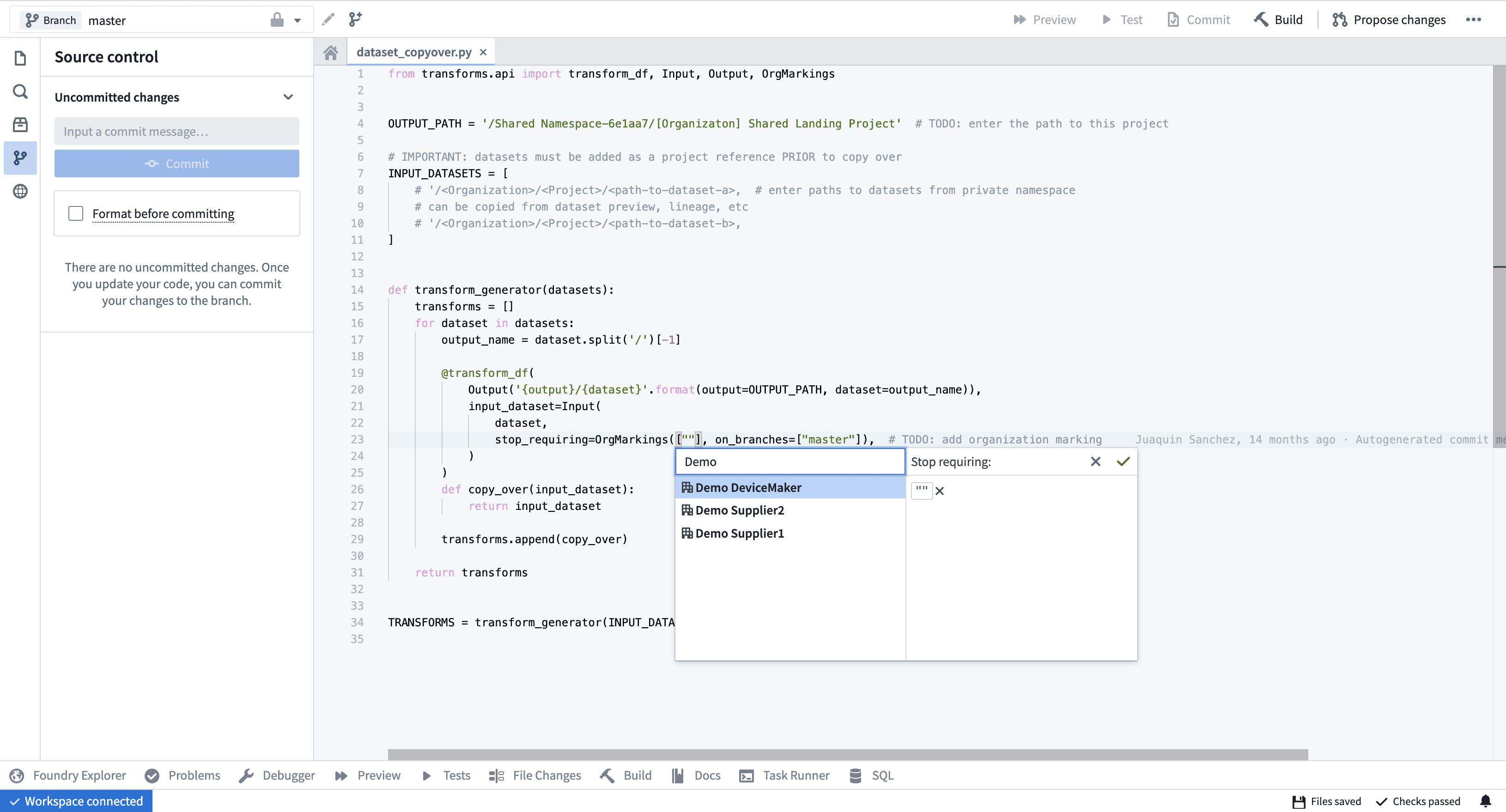
- Use the following code for reference:
from transforms.api import transform_df, Input, Output, OrgMarkings

OUTPUT_PATH = '/Shared Namespace-6e1aa7/[Organizaton] Shared Landing Project' # TODO: enter the path to this project

# IMPORTANT: datasets must be added as a project reference PRIOR to copy over
INPUT_DATASETS = [
    # '/<Organization>/<Project>/<path-to-dataset-a>, # enter paths to datasets from private namespace
    # can be copied from dataset preview, lineage, etc
    # '/<Organization>/<Project>/<path-to-dataset-b>,
]

def transform_generator(datasets):
    transforms = []
    for dataset in datasets:
        output_name = dataset.split('/')[-1]

        @transform_df(
            Output('{output}/{dataset}'.format(output=OUTPUT_PATH, dataset=output_name)),
            input_dataset=Input(
            dataset,
            stop_requiring=OrgMarkings([""], on_branches=["master"]), # TODO: add organization marking
            )
        )
        def copy_over(input_dataset):
            return input_dataset

        transforms.append(copy_over)

    return transforms


TRANSFORMS = transform_generator(INPUT_DATASETS)
- Update the project's security settings:
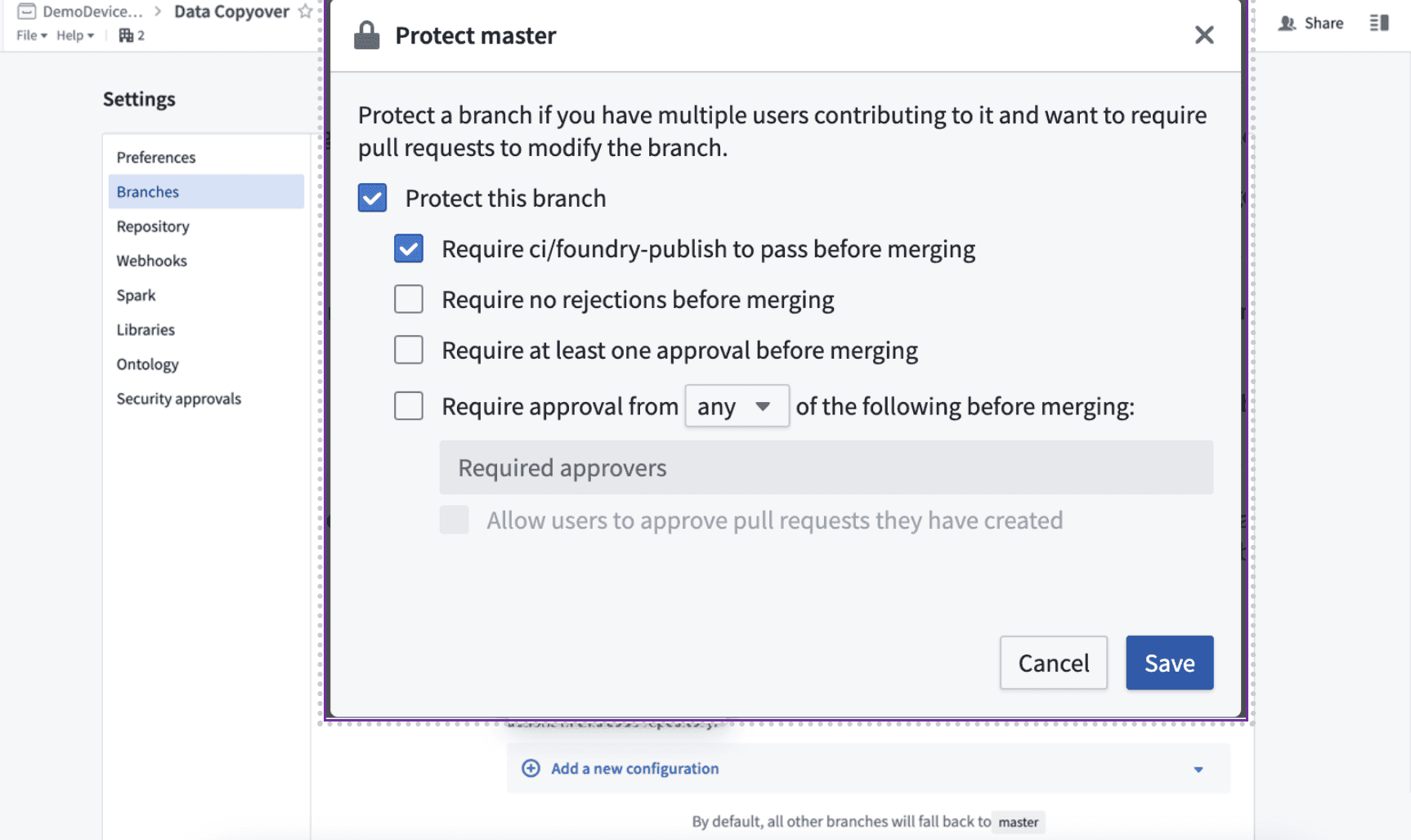
- In repository settings, under “Branches”, protect the master branch.
- At a minimum “Require ci/foundry-publish to pass before merging” should be selected.
- In repository settings, under “Security approvals”, toggle “Allow changes to security markings in this repository”.
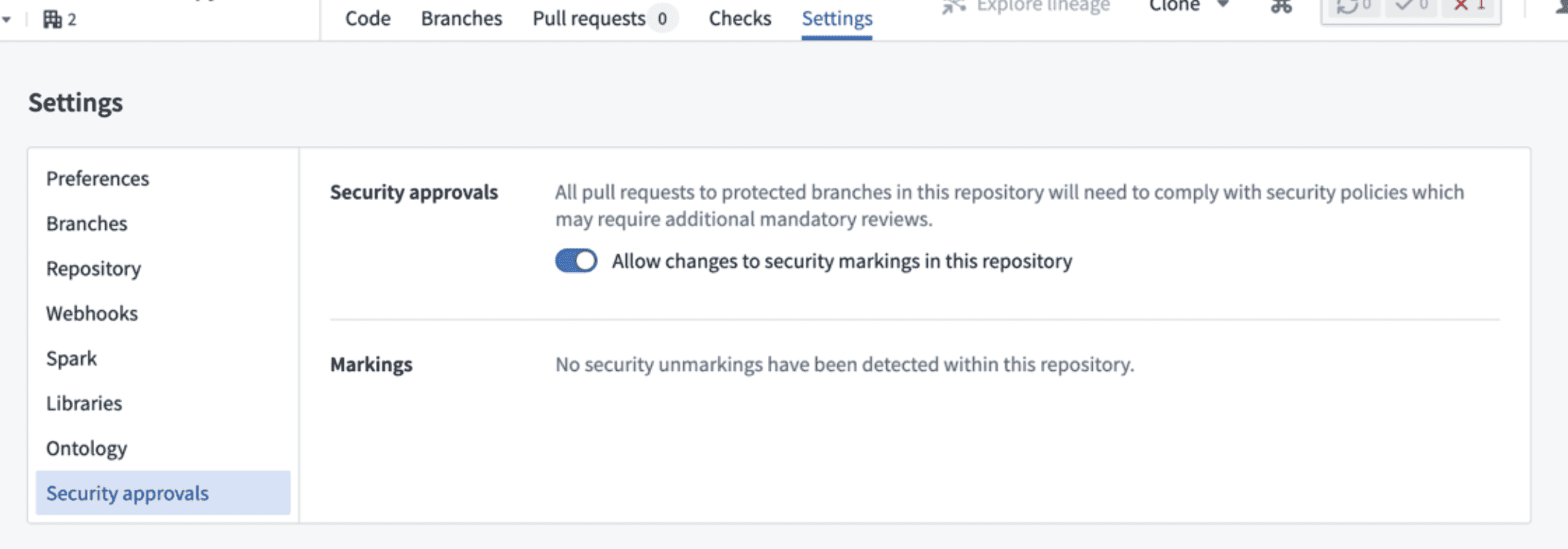
The data copy over code repository has been created in the "Shared Landing Project".
- Add project references (you'll need the “Reference Adder” role on the source and destination projects):
- Navigate to the destination project. On the left side, click "File References", then click "+ Add reference".
- Once the dialog appears, click ”+ Add files...” to add the dataset references for this project.
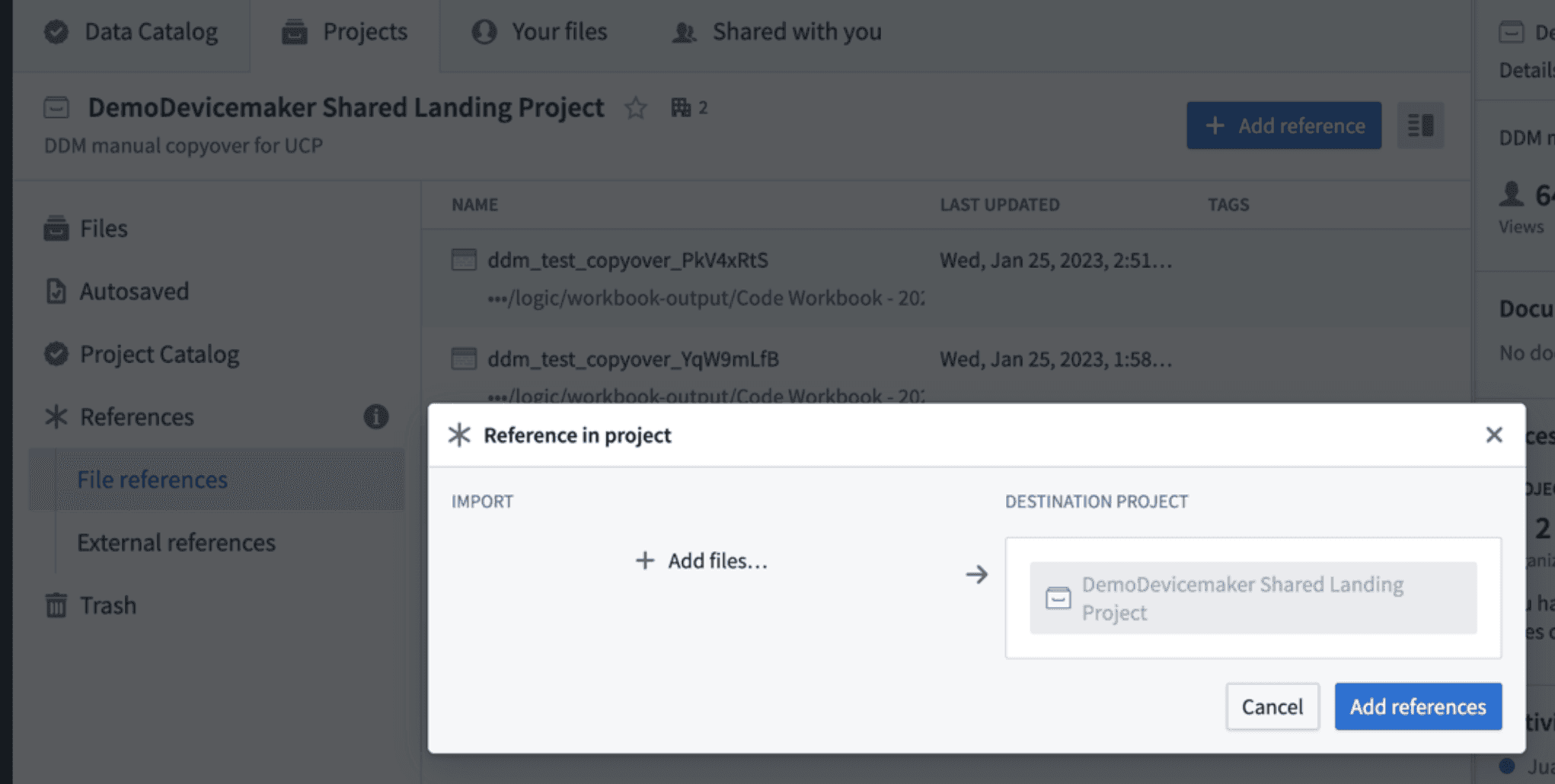
- After adding the references, create a new branch in the “Dataset Copyover” repository.
- Within the new branch, in dataset_copyover.py, add the input dataset path(s) to the “INPUT_DATASETS” array.
- Make sure the references have already been added to the project so security approvals can be run.
- Create a pull request (PR) to propose these changes and create an security marking approval review.
- Once the PR has been approved by the respective Dataset Owner(s), click "Merge" and click "Build" on these datasets.
This dataset reference has been added to the "Shared Landing Project" and can be registered for UCP.
- Register the dataset in UCP:
- In the UCP "Dataset Registry" tab, a Use Case Admin clicks the + Add Dataset button and fills out the following details for dataset registration:
- Dataset Name: This can be the name of the original dataset (it's not required for the name to match the existing dataset's name).
- Description: This is a short description of the dataset contents/purpose.
- RID: The dataset RID in the organization's private namespace.
- To find the dataset RID: navigate to the dataset, click on the Details tab, and click the clipboard icon next to the Dataset RID field.
- Owner: The Dataset Owner that will receive a dataset registry review request to approve this dataset for future use cases.
- Shareable: This determines if the dataset is intended for sharing with another organization in the platform.
- Once the details are provided, the user clicks the "Add" button.
This dataset has been registered and will be available for selection/approval for use cases.